
A stopwatch calculator is a digital tool designed to accurately measure the amount of time that elapses between its activation and deactivation. It provides precise timing, often down to milliseconds, and is commonly used online or as an app for tasks, sports, or study sessions that require exact timekeeping and calculations.
Good time management is a key skill for students, athletes, and anyone who wants to be more productive. You need a precise tool whether you are timing a study session, tracking laps, or breaking down tasks to focus better. A reliable stopwatch calculator that measures time down to the second is essential.
At eLearnSmart, we aim to help learners with top-quality educational resources, including an excellent collection of practical tools. We offer over 100 professional calculators for any subject. Among them is our easy-to-use, free online stopwatch calculator. This tool is designed to give you accurate timing, helping you track tasks, record lap times, and improve your efficiency at no cost.
This guide will show you how to use our free online stopwatch calculator. We’ll explain how it’s different from a regular timer, cover its many benefits, and provide simple steps for using it in your studies, sports, and daily life. Get ready to improve your timing and boost your productivity with ease.
What is a Stopwatch Calculator and Why Use One?

The Key Difference: Stopwatch vs. Timer
Many people use the words “stopwatch” and “timer” to mean the same thing. However, these tools do very different jobs.
A stopwatch calculator measures how much time has passed. It starts at zero and counts up. You start it at the beginning of an activity and stop it at the end to see the total time. It’s perfect for seeing how long something takes. For example, athletes use stopwatches to time races [1].
On the other hand, a timer counts down from a specific amount of time you set. It goes off when the time is up. Think of a kitchen timer or an alarm for a study session. It shows you how much time is left.
Here’s a quick comparison:
| Feature | Stopwatch | Timer |
|---|---|---|
| Function | Measures elapsed time (counts up) | Measures time remaining (counts down) |
| Starting Point | Always starts at zero | Starts from a set time |
| Primary Use | Timing events, tracking durations | Alerting at specific intervals, managing deadlines |
Benefits of Using Our Free Online Tool
Our free online stopwatch has many benefits. It’s part of eLearnSmart’s collection of over 100 professional calculators. We designed our tools to be accurate and easy to use. This makes them great for students, professionals, and anyone who needs accurate time tracking.
Key benefits include:
- Accessibility: Use it on any device with an internet connection. No downloads or installations are needed.
- Cost-Free: It’s completely free. There are no subscriptions or hidden charges to use all the features.
- Precision: Our calculator tracks time down to the millisecond. This gives you very accurate measurements for important tasks.
- Versatility: Use it for academic studies, fitness tracking, cooking, or professional projects. It has many uses.
- User-Friendly Interface: The design is simple and easy to use. Even beginners can learn how to use it quickly.
- Part of a Larger Suite: You can use this stopwatch with our other academic tools. Our platform has calculators for many subjects.
Understanding Basic Features: Start, Stop, Lap, and Reset
Using a stopwatch is simple once you know the main controls. Our online tool has the basic buttons you need to manage your time well.
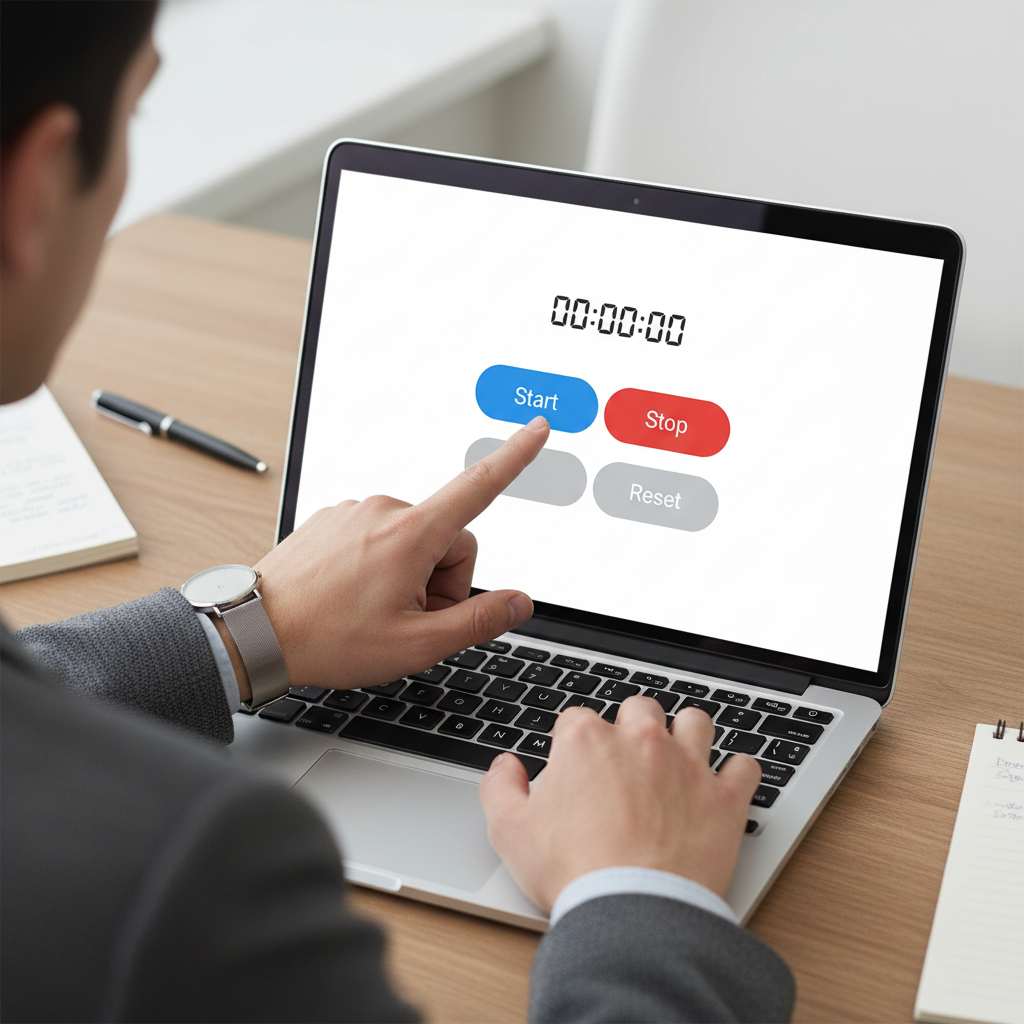
- Start: This button starts the clock. The stopwatch will begin counting up from zero. Press it right when the activity starts.
- Stop: This button pauses the stopwatch and freezes the time on the screen. Use it when an activity ends or if you need a short break. You can often press start again to continue.
- Lap: The lap button records split times. It saves the current time, but the main stopwatch keeps running. This is useful for timing parts of a longer event, like laps in a race [2].
- Reset: This button sets the stopwatch back to zero. It erases the main time and all your saved lap times. Use it when you are ready to time something new.
These four functions are the main features of any good stopwatch. They let you measure time accurately and flexibly.
How to Use the Online Stopwatch Calculator Effectively
Starting Your First Timing Session
Starting a timing session with our free online stopwatch is easy. Our platform has over 100 free tools, and each one is easy to use. To begin, just find the main controls on the stopwatch.
Follow these quick steps:
- Go to the Stopwatch: Find the online stopwatch on elearnsmart.com.
- Find the Start Button: Look for the “Start” button. It’s usually a green button or a play icon.
- Click to Start: Click the button once to start the timer. The screen will instantly start counting time in hours, minutes, seconds, and milliseconds.
It’s that simple. The display gives you live updates, showing the time as it passes. This makes our stopwatch a great tool for studying or getting work done.
How to Record Laps and Splits Accurately
Recording laps and splits is key for detailed time tracking. This feature helps you measure parts of a longer activity. Many athletes use lap tracking to check their performance over certain distances [3]. Our online stopwatch makes this process simple.
Here’s how to use this feature:
- Start the Timer: First, begin timing by clicking the “Start” button.
- Find the Lap Button: As time passes, find the “Lap” or “Split” button. It is usually a different button from “Start/Stop.”
- Mark Each Lap: Press the “Lap” button every time you finish a section.
- See Your Lap Times: Each click records the time for that lap and the total time. Your lap times will appear in a list below the main timer.
This helps you check your performance for each section. You can track your progress while studying, working out, or doing other tasks. The stopwatch’s accuracy is a great help for improving how you work.
Resetting the Calculator for a New Task
When you finish timing, you need to clear the data before starting again. This makes sure your next timing is accurate. Our online stopwatch makes this easy to do.
To get ready for a new task:
- Find the Reset Button: Look for the “Reset” button. It’s often red and clearly labeled.
- Click to Clear: One click will clear all recorded times, including the total time and all your laps.
- Check the Display: The timer will go back to “00:00:00.000.” This means it’s ready for you to start a new session.
This quick reset helps you avoid mistakes and start each new task fresh. It’s an important step for managing your time well.
Calculating Total and Average Times
Our online stopwatch does more than just show the time. While you can see the total time automatically, calculating average times from your laps gives you more useful information. This is great for repeated tasks or training.
Here’s how you can use this feature:
- Total Time: The stopwatch always shows the total time that has passed. You can see it clearly on the main screen.
- Lap Times: After you record laps, the times will show up in a list. You can use these individual lap times to look closer at your performance.
- Calculating Average Lap Time:
- Add Up Lap Times: Add together the times for all the laps you recorded.
- Count Your Laps: Find the total number of laps you recorded.
- Divide: Divide the total time of all laps by the number of laps. This gives you the average lap time. For example, if you have 5 laps that total 10 minutes, your average lap time is 2 minutes.
Some of our other 100+ free tools might calculate the average for you automatically. Our stopwatch gives you the raw data you need to find these key numbers yourself. This helps both students and professionals track their performance and work more efficiently.
How to Read Stopwatch on Phone?
Interpreting Hours, Minutes, and Seconds
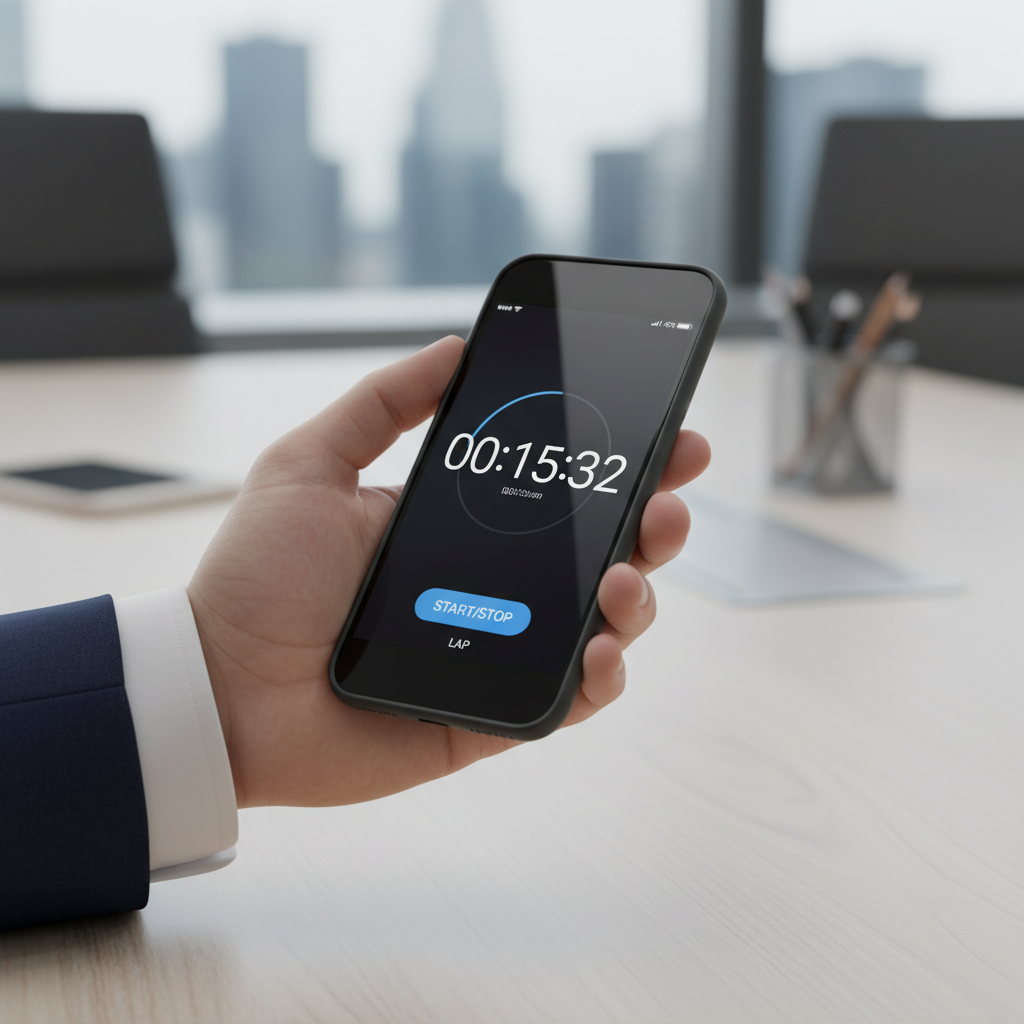
Reading your stopwatch display is simple. Our free online stopwatch shows time in a standard format: hours, minutes, and seconds.
Here’s what each part means:
- Hours (HH): This is the number on the far left. It shows how many full hours have passed. For example, ’01’ means one hour.
- Minutes (MM): The middle numbers show the minutes, counting from 00 to 59. After 59, the hour number increases by one.
- Seconds (SS): These are the whole numbers on the right. They count from 00 to 59. When they reach 60, a new minute starts.
The display looks like this: HH:MM:SS. For example, 00:05:30 means 5 minutes and 30 seconds have passed. Our platform, with its 100+ free calculator tools, makes this readout easy to understand.
Understanding Milliseconds for Precision
For more precise timing, stopwatches also show milliseconds. A millisecond (ms) is one-thousandth of a second [source: https://www.nist.gov/pml/time-frequency-division/popular-links/time-faqs]. These tiny units are key for very accurate measurements.
Our stopwatch calculator tracks milliseconds, which is useful for many tasks:
- Sports Training: Small time differences matter. Milliseconds can track an athlete’s exact performance.
- Scientific Experiments: Exact timing is vital. Milliseconds help keep results accurate.
- Workflow Optimization: Tiny time savings add up. Milliseconds help you find and fix inefficiencies.
Milliseconds appear after the seconds, following a decimal point. For example, 00:00:15.789 means 15 seconds and 789 milliseconds. This level of detail gives you the accuracy you need for any task. Such precision is a hallmark of our extensive suite of free calculators.
Reading Lap Times vs. Total Elapsed Time
A good stopwatch shows both the total elapsed time and individual lap times. Each one tells you something different, and our free online tool displays both clearly.
Here’s how they differ:
- Total Elapsed Time: This is the total time from when you press ‘Start’ to when you press ‘Stop’. It runs continuously and shows the full length of an event.
- Lap Time: This measures shorter segments within the total time. When you press ‘Lap,’ it records the time for that section and instantly starts timing the next one.
Here’s a quick look at how they are used:
| Measurement Type | What it Represents | Key Application |
|---|---|---|
| Total Elapsed Time | Total time since the stopwatch started. | Overall project completion time, entire workout duration. |
| Lap Time | Time for a single section or interval. | Per-lap analysis in running, timing individual tasks in a sequence. |
Our stopwatch lets you track both. The total time usually stays at the top, while individual lap times are listed below. This layout helps you analyze your performance, compare segments, and spot patterns. This feature is great for students and professionals, helping to improve focus and productivity in any task.
What Are the Best Applications for a Stopwatch for Study?
Implementing the Pomodoro Technique
The Pomodoro Technique is a popular way to manage your time. It helps improve your focus and get more done. [4] Our free online stopwatch calculator is a great tool for this method. It helps you time your study sessions accurately.
Here’s how to use our stopwatch calculator for Pomodoro sessions:
- Set Your Interval: Decide on a study period. The classic Pomodoro is 25 minutes.
- Start Studying: Begin your task and hit “Start” on our stopwatch calculator.
- Focus on Your Work: Work without any interruptions. The stopwatch will keep track of your time.
- Log Your Session: When the 25 minutes are up, press “Lap.” This marks one completed Pomodoro.
- Take a Break: Enjoy a short 5-minute break. You can reset the calculator or just watch the timer for your break.
- Repeat: Continue this cycle. After four Pomodoros, take a longer break.
This simple method uses the stopwatch to train your brain to focus for longer. It also helps you see your work time in clear, productive blocks.
Tracking Time Spent on Different Subjects
To study well, you need to balance your time between subjects. Our stopwatch calculator makes this easy to track. It shows you exactly where your study time goes, which is key for academic success.
Use our stopwatch calculator to track time per subject:
- Start a Session: When you begin studying a subject, hit “Start” on the stopwatch.
- Use the Lap Feature: When you switch to a new subject, press “Lap.” This saves the time you spent on the last one.
- Continue Tracking: Every time you press “Lap,” it starts timing the next subject while the main stopwatch keeps running.
- Review Lap Times: When you’re done studying, look at the lap times. Each lap shows how much time you spent on a single subject.
- Analyze Your Time: This data shows how you’re dividing your time. You can use it to adjust your study plan. For example, you might need to spend more time on harder subjects. Our platform offers over 100+ free calculator tools. This tracking helps you identify which subjects might benefit from other specialized calculators.
This method helps you manage your time well. It lets you see which subjects need more attention, helping you build a balanced study routine.
Improving Focus and Productivity
A stopwatch calculator is more than just a timer; it’s a great tool for self-discipline. Using one can greatly improve your focus and productivity. When you start our free online stopwatch calculator, you commit to focusing on the task in front of you.
Here are some ways it helps you get more done:
- A Visual Reminder: The running timer is a constant reminder to stay focused on your work.
- Goal Setting: It helps you set and stick to time-based goals, like studying math for 45 minutes straight.
- Fewer Distractions: When you know you’re being timed, you’re less likely to get distracted or try to multitask. [5]
- Track Your Progress: Over time, you can see patterns in your study habits. You might learn when you focus best, which helps you plan a better schedule.
- Build Focus: Using a timer regularly helps you build up your ability to concentrate for longer periods. This is very helpful for long exams or big projects.
Our free stopwatch calculator helps you take control of your time. It turns a vague plan to study into a specific, timed goal. This leads to better focus and better results.
Frequently Asked Questions
Can I use a stopwatch calculator with seconds online for free?
Yes. Many websites offer a free stopwatch calculator that can time seconds and even milliseconds. Our eLearnSmart platform, for instance, provides an easy-to-use, professional stopwatch tool online.
You don’t need to download or install anything. You can open it directly in your web browser on any device. This makes it a convenient tool for:
- Tracking study sessions
- Timing exercises
- Managing tasks efficiently
We want our educational tools to be accessible to everyone. That’s why our stopwatch calculator is free, just like the other 100+ calculators on our site.
Is there a stopwatch calculator app available?
Yes, many stopwatch apps are available. Most smartphones (both iOS and Android) have a stopwatch feature built into their clock app. These usually offer basic start, stop, lap, and reset functions.
Besides the built-in options, you can find third-party apps with more features. They might offer advanced lap tracking, different visual themes, or connect with other productivity tools.
At eLearnSmart, we don’t have a downloadable app from an app store. Instead, all of our 100+ tools, including the stopwatch, are designed to work perfectly on your phone’s web browser. This means:
- You can use our tools just like an app.
- There’s no need to install anything.
- It saves storage space on your device.
- You always have the most up-to-date version.
- It works on all your devices, just like a regular app.
How does a stopwatch calculator timer function?
A stopwatch calculator measures how much time passes from when you start it to when you stop it. It uses a very accurate internal clock, which allows it to measure even fractions of a second.
It has a few key functions:
- Start: Pressing this starts the timer from zero.
- Stop: This stops the timer and shows the total time that has passed.
- Lap/Split: This lets you record split times (like for each lap in a race) while the main timer keeps running in the background.
- Reset: This clears all recorded times and sets the stopwatch back to zero for a new timing session.
Modern online stopwatches, like the one on eLearnSmart, use advanced technology for very accurate timing. They can measure very short moments, making them useful for tasks that need high precision [6]. Understanding these functions helps you get the most out of your stopwatch for schoolwork or personal projects.
Sources
- https://www.britannica.com/technology/stopwatch
- https://www.merriam-webster.com/dictionary/lap%20time
- https://www.usatf.org/news/coaching-education/usatf-technical-documents/distance-events-technical-documents/tracking-splits-and-laps
- https://francescocirillo.com/pages/pomodoro-technique
- https://www.apa.org/news/press/releases/2006/03/multitasking
- https://www.nist.gov/time-frenzy/how-do-we-measure-time
