
The STAAR Desmos calculator is the official online graphing calculator tool integrated into the secure testing platform for students taking certain Texas STAAR assessments. It is a specific, locked-down version of the popular Desmos calculator, ensuring students have access to powerful graphing tools while maintaining test integrity.
To succeed on the Texas STAAR test, you need the right tools and strategies. For many students, one of the best tools is the STAAR Desmos calculator. This digital graphing calculator is a key part of the test. Its advanced features can simplify complex problems and help you succeed.
But just having access to the Desmos calculator isn’t enough. You also need to master its features and understand how it functions within the testing environment. This guide is here to help you understand the Desmos calculator STAAR experience. We will explore its main functions, point out its differences from the standard version, and give you key tips for your exam. Also, remember that eLearnSmart offers over 100 other free professional calculators to support your learning.
Whether you’re new to Desmos or looking to refine your skills, preparing for the STAAR test means knowing how to use this important tool. Let’s start by exploring what the STAAR Desmos Calculator is and why it matters in Texas state testing.
What is the STAAR Desmos Calculator?
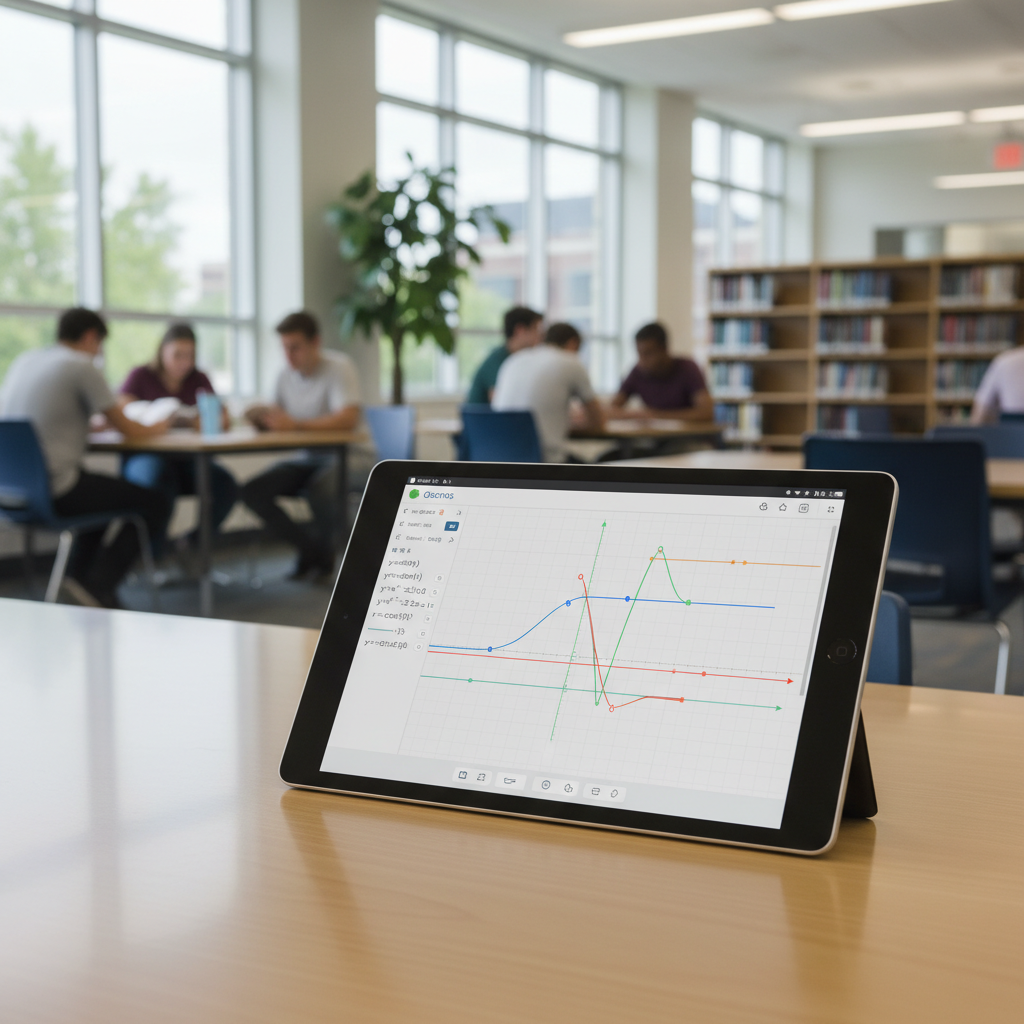
The Role of Desmos in Texas State Testing
The STAAR Desmos Calculator is an important tool for students taking the State of Texas Assessments of Academic Readiness (STAAR) exams. This digital calculator is built right into the online test. Its main goal is to give every Texas student the same easy-to-use graphing calculator.
Texas started using the Desmos graphing calculator on some STAAR exams years ago [1]. This change helped the tests match how math is taught today. It also helps students understand math concepts better, not just memorize steps.
The Desmos calculator helps students see and understand tough math ideas, like graphing functions, looking at data, and solving equations. It helps students who may not have their own physical graphing calculator. This makes sure the test is fair for everyone in the state.
The STAAR Desmos calculator is often used on these tests:
- STAAR Algebra I
- STAAR Algebra II
- STAAR Grade 8 Mathematics
Using this calculator shows a focus on modern, technology-based tests and helps get students ready for college and future careers.
Key Differences from the Standard Desmos Version
While the STAAR Desmos calculator is powerful, it’s not the same as the full, unrestricted Desmos Graphing Calculator available online. The Texas Education Agency (TEA) made some changes for testing. These changes help keep the test fair and secure.
Here are the main differences to know:
- Restricted Features: The STAAR version is missing some advanced features. Things like 3D graphing, certain algebra tools (CAS), and custom programming are usually turned off.
- No Internet Access: The testing version works completely offline. Students can’t visit other websites or share information. This stops any outside help during the exam.
- Limited Toolset: Some regular Desmos tools might be missing. For example, geometry tools or specific data analysis functions may not be on every test. The tools you get will match the subject of the exam.
- No Account Features: You can’t log in, save your graphs, or open old work. Every time you use it on a test, it starts fresh with a blank screen.
- Visual Cues (Desmos Green): The testing version often looks different. It might have special colors, like the “Desmos Green” top bar, to show that you are in the secure test mode [2].
These changes are made to create a secure and fair test for everyone. It’s a good idea for students to practice with the official STAAR Desmos Calculator version. This helps them get used to its tools and limits. Our platform offers over 100+ free calculator tools to help you practice different math skills.
How Can I Access the STAAR Desmos Calculator?
Finding the Official Practice Version Online
It’s easy to find the official STAAR Desmos Calculator for practice. The Texas Education Agency (TEA) offers special online resources. These tools help students get used to the exact calculator they will see on test day.
To find the practice version, follow these steps:
- Visit the TEA Website: Go to the official Texas Education Agency website.
- Locate STAAR Resources: Look for a section on STAAR assessments or statewide tests.
- Find Practice Tests: Search for “STAAR Released Tests” or “STAAR Practice Tests.”
- Launch the Online Platform: The practice tests are on the Texas Assessment secure browser platform [3]. This platform looks and feels just like the real test.
The Desmos calculator is built right into these practice tests. It works exactly like it will during the actual exam. Practicing here helps you understand what the calculator can and can’t do.
While the official site is the best place to see the test calculator, eLearnSmart offers more ways to practice. Our platform has over 100+ free calculators. These tools help you strengthen math concepts in general, not just for the test. This extra practice can improve your overall math skills.
Using the Calculator During the Test
During the real STAAR test, the Desmos calculator is a built-in tool. It is not a separate app you need to download or open. Instead, it is part of the secure online testing platform.
Here’s how it works during the test:
- Embedded Access: The calculator icon is right on the test screen. Students click this icon to open the Desmos tool.
- Secure Environment: The calculator runs in a locked-down browser. This prevents you from visiting other websites or opening other apps.
- “Desmos Green” Theme: You will notice a special “Desmos Green” color. This visual sign confirms you are using the official testing version.
- Specific Functionality: The test version has tools needed for the STAAR math curriculum. It may not have all the advanced features of the public Desmos calculator.
- Availability: The calculator is only available for certain questions. It will appear when it is an allowed tool for that item. Not every question will have calculator access.
Getting used to this built-in system is key to doing well on the test. Practicing regularly with the official online versions is highly recommended. This helps you feel comfortable and work quickly under timed conditions. Consistent calculator practice, like that offered on platforms like eLearnSmart, builds confidence for test day.
What Are the Core Features of the Desmos STAAR Calculator?

Graphing Functions and Inequalities
The main strength of the Desmos STAAR calculator is its graphing features. This tool helps students see how math equations work. It turns complex equations into simple, interactive graphs. Understanding these graphs is key to solving tough problems on the STAAR test.
Here are some key graphing features:
- Plotting Different Functions: Easily graph many types of functions, like linear, quadratic, exponential, and trigonometric. This helps you see how they work.
- Showing Inequalities: The calculator shades the area for an inequality. This makes it easy to see the solution on the graph.
- Finding Key Points: The calculator automatically shows important points like intercepts, intersections, and roots. This is a huge help for solving problems.
- Using Sliders: Use sliders to change parts of an equation. You can instantly see how your changes affect the graph. This interaction helps you understand math concepts better.
- Graphing More Than One Equation: Put several graphs on the screen at the same time. This helps you compare different equations and see how they relate.
This interactive tool makes it much easier to solve problems on the STAAR test. It helps you understand the concepts, not just calculate the answers [4].
Working with Tables and Data Points
The staar desmos calculator is also great for data analysis. It has strong tools for using tables and data points. This is very important for statistics and algebra questions on the STAAR exam.
Key features include:
- Making Data Tables: You can type x and y values into a table. This keeps your data organized.
- Plotting Points: The calculator puts your data points on the graph right away. This makes it simple to see patterns in your data.
- Finding the Best Fit: The calculator can find an equation that best fits your data. You can use linear, quadratic, or exponential models. This helps you find trends and make predictions [5].
- Analyzing Data: See how different data points relate to each other. This helps you understand what the statistics mean.
- Making Scatter Plots: You can create scatter plots from your tables. This is a key way to look at how two variables are related.
These features give students the confidence to answer questions about data. They build skills in both algebra and statistics.
Using Scientific Calculator Functions
The desmos calculator staar version is more than a graphing tool. It’s also a full scientific calculator. This means students don’t need a second calculator for their calculations.
The scientific calculator can do many things:
- Basic Math: Do addition, subtraction, multiplication, and division. These basic tools are always ready to use.
- Advanced Math: Find exponents, roots, logarithms, and absolute values. You’ll need these for tougher math problems.
- Trigonometry: Use sine, cosine, tangent, and their inverses. Make sure you set the calculator to degrees or radians to get the right answer [6].
- Constants: Quickly use math constants like Pi (π) and e. This saves time and makes your answers more accurate.
- Probability Functions: Solve problems with factorials, permutations, and combinations. These are used for probability questions.
Having both calculators in one place makes the test-taking experience smoother. All the math tools you need are in one program. Students can easily switch between the graphing and scientific modes.
What is the ‘Desmos Green’ Testing Version?
The term ‘Desmos Green’ is the name for the special, secure version of the Desmos graphing calculator used during state tests. For students in Texas, this version is built into the STAAR testing platform. It gets its name from its green top bar, which shows it’s in a secure test mode. This version has fewer features on purpose than the regular online Desmos calculator.
The main goal of the Desmos Green version is to give every student a fair and equal testing experience. It follows the official calculator rules set by the Texas Education Agency (TEA) for all STAAR exams [7].
Key Features of the ‘Desmos Green’ Test Version
Knowing the differences is important for test preparation. Here are the main features of the Desmos Green test version:
- Limited Features: It only includes the functions needed for the test. More advanced tools from the standard calculator are not available.
- No Internet Access: The calculator works completely offline within the test. This means students cannot visit other websites or get outside help.
- No Saving or Sharing: Any work done on the calculator cannot be saved or shared. This helps keep the test secure.
- Limited Advanced Tools: Features like 3D graphing or tools that solve algebra problems automatically (CAS) are turned off. The focus is on core graphing and scientific calculator functions.
- Same Look for Everyone: Every student sees the exact same calculator. This keeps things fair by preventing any advantages from custom settings.
- Locked in Place: The calculator is built directly into the testing software. It cannot be minimized or closed during the exam.
This controlled environment ensures that students only use approved tools, which keeps STAAR math tests secure and fair for everyone.
Practicing with the official STAAR Desmos Calculator practice version online is highly recommended. This helps students get familiar with its tools and feel prepared for test day. You can also explore similar graphing tools with eLearnSmart’s comprehensive suite. Our app offers over 100+ free calculator tools, helping you master various mathematical concepts.
How is Desmos Used for Different Grade Levels and Tests?

How is Desmos Used for Different Grade Levels and Tests?
Desmos is a powerful digital tool for many grade levels. It helps students prepare for important standardized tests, making it a valuable resource for school.
STAAR Desmos Testing for Grade 8
The Grade 8 STAAR Math test now includes the Desmos Graphing Calculator. This gives students powerful tools for calculations, helping them focus more on problem-solving skills.
Students use the Desmos calculator for many key tasks, like graphing linear equations and analyzing data in tables. This version of the calculator is made just for the test, so it might be slightly different from the full version found online.
Key uses for Grade 8 STAAR include:
- Graphing Functions: Students can see graphs of linear equations and inequalities. This helps them understand the relationships between variables.
- Analyzing Data: The calculator helps create scatter plots and find lines of best fit.
- Solving Equations: It’s easier to find solutions with numbers and graphs. This speeds up solving complex problems.
- Scientific Calculations: It includes all standard scientific functions, like exponents and roots.
It’s important to be familiar with the specific Desmos version on the STAAR test. Practice helps students use its features with confidence, so they can use the calculator effectively during the exam.
Using Desmos for the SAT and College Board Exams
Desmos is now an official tool for the Digital SAT, which is a big change for high school students. The calculator is built right into the testing platform [8], so students do not need to bring their own.
Benefits of Desmos on the Digital SAT:
- Accessibility: Every student gets a powerful graphing calculator. This makes the test fairer for everyone.
- Integrated Tools: The calculator handles graphing, scientific math, and geometry. It all works smoothly right inside the test.
- Efficiency: Students can quickly graph equations, study functions, and solve hard problems. This saves valuable time during the test.
- Visual Problem Solving: Graphing helps students see algebra problems visually. This often leads to understanding the solution more quickly.
Desmos is also very helpful for other College Board exams, like AP tests. While it may not be built into the test, it’s an excellent practice tool. For example, students in AP Calculus or AP Statistics can use Desmos to master graphing and analyze data. Skills learned on Desmos carry over to other approved calculators allowed in these exams.
Strong calculator skills are key to success. Our app offers over 100+ free calculator tools to help students prepare for different tests and grade levels.
Need More Practice? Explore eLearnSmart’s 100+ Free Calculators
To do well on the STAAR test, you need more than just math knowledge. You also need to be good with its approved tools. The STAAR Desmos calculator is a key resource. Regular practice with this online tool is a must for success [9].
Improve Your STAAR Desmos Skills with eLearnSmart
Are you ready to master the skills for your Texas test? eLearnSmart offers a large collection of tools to help you learn. We provide over 100+ professional calculators for free. They cover a wide range of school subjects.
Our platform helps you explore math concepts in detail, including the ones needed for the STAAR exam. You can practice with confidence. Our large calculator collection will help you build a strong understanding.
How Our Free Calculators Help You Prepare
eLearnSmart’s calculators work well with your STAAR Desmos practice. They offer extra help in many areas. You can focus on weak spots or explore new topics. Our tools give you instant feedback and correct answers, helping you learn faster.
Here are key ways our free calculators can help you:
- Algebraic Manipulation: Practice solving equations and inequalities. Our algebra calculators can handle complex problems, helping you build skills that are vital for the STAAR.
- Graphing Functions: See graphs of equations and data. Our graphing tools let you explore them in detail, much like the main feature of the STAAR Desmos calculator.
- Geometry Exploration: Calculate areas, volumes, and angles. These calculators help you understand shapes and space. Geometry is a big part of the STAAR math test.
- Data Analysis and Statistics: Work with data sets and statistics. This prepares you for data questions, which often appear on the STAAR test.
- Scientific Calculator Functions: Use advanced math and trigonometry functions. Our scientific calculators help you get familiar with these important tools.
Easy Access for Better Learning
We are committed to offering free, high-quality learning tools. All 100+ calculators are online at no cost. You can practice anytime and anywhere, making it easy to fit into your study schedule.
Stop struggling with tough problems and start doing better with the right tools. Explore eLearnSmart’s large collection today. Find the perfect calculator to improve your STAAR Desmos skills. Get started on the path to success.
Frequently Asked Questions
Is the STAAR Desmos calculator free?
Yes, the STAAR Desmos calculator is completely free for students to use. It is a digital tool built right into the online STAAR testing platform for certain tests.
Official practice versions of the STAAR Desmos calculator are also available online at no cost. These let students get familiar with the calculator’s layout and tools before test day.
At eLearnSmart, we believe learning tools should be easy to access. That’s why our platform offers over 100+ professional calculators for different subjects, all completely free. You can use these powerful tools anytime to help you prepare for exams like the STAAR.
Can you download the STAAR Desmos calculator?
The official STAAR Desmos calculator is not an app that students can download. Instead, it is built directly into the online STAAR testing system from the Texas Education Agency (TEA).
During the test, students access the calculator inside the secure testing program. However, a practice version that works just like the real one can be used online in a web browser, with no download needed [10].
While the standard Desmos Graphing Calculator app is free to download, its features might be slightly different from the STAAR-approved version. For test preparation, you should always use the official practice environment.
eLearnSmart provides over 100+ free online calculators. These tools are web-based, offering easy access for all your academic needs without any downloads.
How is the Desmos Texas calculator different?
The Desmos Texas calculator for the STAAR test is a special version of the standard Desmos Graphing Calculator. The changes were made to follow strict testing rules set by the Texas Education Agency (TEA).
Key differences include:
- Restricted Features: Some advanced functions in the full Desmos version are turned off or limited. This prevents students from using tools that are not allowed on the STAAR exam.
- “Desmos Green” Interface: The testing version has a unique green color scheme. This visual cue helps students and proctors quickly see that the approved calculator is being used.
- No Saving or Sharing: Unlike the standard Desmos, the STAAR version does not let you save graphs, share your work, or see a history of your calculations. It starts fresh for each problem.
- Specific Functionality: It is set up with the exact graphing, scientific, and table tools needed for the STAAR curriculum [11].
Knowing these differences is important. Practicing with the specific STAAR Desmos version is the best way to prepare for test day.
Which STAAR tests use the Desmos graphing calculator?
The Desmos graphing calculator is an approved tool on several key STAAR tests. It helps students solve complex mathematical problems.
The main STAAR tests that include the Desmos graphing calculator are:
- STAAR Grade 8 Mathematics: Students taking this test have access to the Desmos calculator.
- STAAR Algebra I: This end-of-course (EOC) exam includes the Desmos graphing calculator as a key resource.
- STAAR Algebra II: Students also use the Desmos calculator on the Algebra II EOC exam.
These tests require advanced graphing and calculation skills. The Desmos calculator provides these tools within the secure testing environment [10]. Always check the latest policies with the Texas Education Agency or your school district, as testing guidelines can change.
Sources
- https://tea.texas.gov/students-families/testing-assessment/staar/staar-testing-materials-resources
- https://learn.desmos.com/texas
- https://www.texasassessment.com/staar/released-test-questions/
- https://www.desmos.com/calculator
- https://help.desmos.com/hc/en-us/articles/202529249-Lists-and-Tables
- https://www.texasassessment.gov/staar/desmos-faqs.html
- https://www.desmos.com/testing
- https://satsuite.collegeboard.org/digital/calculator-policy
- https://www.nctm.org/uploadedFiles/Journals_and_Books/Books/Principles_to_Action/PtA-Using-Tools.pdf
- https://www.desmos.com/texas
- https://tea.texas.gov/student-assessment/assessment-initiatives/staar/staar-math-resources
