
A reverse percentage calculator helps you find the original number before a percentage increase or decrease was applied. To calculate it manually, convert the percentage to a decimal, add or subtract it from 1, and then divide the final number by this result.
Do you know the final number after a percentage change but need to find the original amount? For example, you might see a sale price and want to know the cost before the discount. Or maybe you need to find your income before taxes were taken out. Working backwards with percentages can feel tricky, but there’s a clear way to find that starting number.
The good news is you don’t have to be a math wizard to solve this. A reverse percentage calculator is the perfect tool for quickly finding the original number. At eLearnSmart, we believe in making math easy. That’s why we offer more than 100 free and professional calculator tools. Our simple reverse percentage calculator can help with your school or money-related tasks.
This guide will show you everything you need to know about reverse percentages. We’ll explain what a reverse percentage calculator is, look at the formulas used, and show you how to use our free online tool or a standard handheld calculator. You’ll be ready to find the original number easily and with confidence.
What is a Reverse Percentage Calculator?

A reverse percentage calculator is a tool that finds a starting value before a percentage was added or taken away. You give it the final number and the percentage, and it works backward to tell you what the original amount was.
For example, imagine an item is on sale. You know the discounted price and the percentage off. This calculator can quickly find the item’s full price before the discount. It’s also useful for things like:
- Figuring out a salary before a raise was given.
- Finding the price of an item before sales tax was added.
- Seeing the original value of an investment after it grew.
This tool is great for students, professionals, and anyone solving everyday math problems. It makes complicated math simple and helps you get accurate financial calculations. Understanding reverse percentages is a key concept in business and economics [1].
Our eLearnSmart platform has a powerful and easy-to-use reverse percentage calculator. It’s just one of our 100+ free tools designed to help you master different subjects and practical skills.
How do you calculate a reverse percentage?
The Reverse Percentage Formula Explained
Reverse percentage helps you find an original number *before* a percentage was added or subtracted. It’s a useful skill for everyday tasks, like figuring out a price before a discount or tax. The goal is to work backward to find the starting amount.
The key is to know what percentage of the original number you have now. For example, if an item has a 20% discount, you are paying 80% of the original price.
Here is the formula for reverse percentage:
- Original Value = Current Value / (1 ± Percentage as a Decimal)
Let’s break down this formula:
- Current Value: This is the number you have now, after the percentage change.
- Percentage as a Decimal: To get the decimal, divide the percentage by 100. For instance, 20% becomes 0.20.
- 1 ± Percentage as a Decimal:
- Use ‘1 – Percentage as a Decimal’ for a decrease (like a discount). This shows the share of the original price you are paying.
- Use ‘1 + Percentage as a Decimal’ for an increase (like sales tax). This shows the new total compared to the original.
While the formula is simple, it’s easy to make mistakes when calculating by hand. A reverse percentage calculator can be a big help. ElearnSmart offers over 100 free tools to make complex math like this quick and easy.
Example: Calculating a Price Before a Discount
Imagine you bought shoes on sale for $60 after a 25% discount. What was the original price before the sale?
Let’s use the reverse percentage formula:
- Identify the Current Value: The sale price is $60.
- Identify the Percentage Change: The discount is 25%.
- Convert Percentage to Decimal: 25% ÷ 100 = 0.25.
- Find the Decrease Factor: Since this is a discount, we subtract. Use the formula ‘1 – Percentage as a Decimal’. So, 1 – 0.25 = 0.75. This means the $60 sale price is 75% of the original price.
- Calculate the Original Value: Divide the Current Value by the Decrease Factor.
Calculation:
Original Value = $60 / 0.75
Original Value = $80
The shoes originally cost $80. Retailers often use discounts to attract customers during sales events [2]. A reverse percentage calculator helps you check these deals quickly. It’s just one of the many free tools on ElearnSmart designed to make math easy.
Example: Finding an Amount Before Tax Was Added
Let’s say your bill for a service is $120, which includes a 20% sales tax. What was the cost before tax was added?
Let’s apply the reverse percentage formula:
- Identify the Current Value: The total bill is $120.
- Identify the Percentage Change: The sales tax is 20%.
- Convert Percentage to Decimal: 20% ÷ 100 = 0.20.
- Find the Increase Factor: Since this is a tax, we add. Use the formula ‘1 + Percentage as a Decimal’. So, 1 + 0.20 = 1.20. This means the $120 bill is 120% of the original cost.
- Calculate the Original Value: Divide the Current Value by the Increase Factor.
Calculation:
Original Value = $120 / 1.20
Original Value = $100
The original cost of the service was $100. Sales tax rates can differ greatly depending on where you are, which changes the final price [3]. Our ElearnSmart calculator handles these problems in seconds, saving you time. It’s one of over 100 free and professional tools we offer.
How to do reverse percentages with a calculator?
Using Our Free Online Reverse Percentage Tool
Finding a reverse percentage is easy with our free Reverse Percentage Calculator. It gives you fast, correct answers, so you can skip manual math and avoid mistakes. This tool is one of over 100 professional calculators we offer for free.
Here are the simple steps to use the tool:
- Visit the Calculator: Go to the Reverse Percentage Calculator page on our site.
- Enter the Final Value: Type in the number you have now (the value after the percentage was applied).
- Enter the Percentage: Put in the percentage that was added or taken away.
- Select Operation (Optional): Our tool often detects the change. If needed, choose whether the percentage was added or deducted.
- Get Your Result: The calculator instantly displays the original number.
This simple process saves you time and ensures you get the right answer for your school or work projects. Our goal is to make complex math easy for everyone [4].
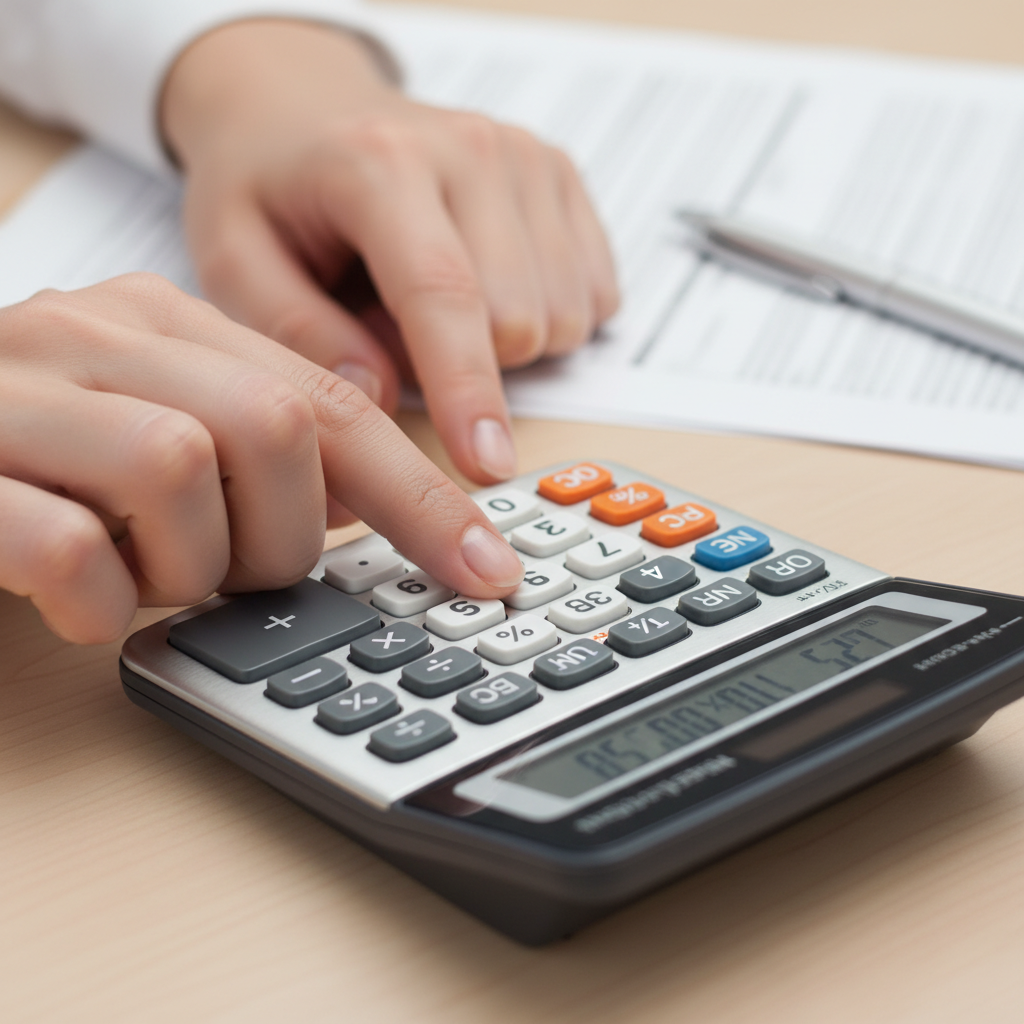
Using a Standard Handheld Calculator
You can also use a standard handheld calculator. However, this method requires you to know the formula and enter each step by hand. It’s not as simple as using a dedicated online tool.
Here’s how to do it with a standard calculator:
- Know the Formula: You need the correct formula to start.
- For a percentage increase: Original Value = Final Value / (1 + Percentage/100)
- For a percentage decrease: Original Value = Final Value / (1 – Percentage/100)
- Convert the Percentage: Divide the percentage by 100. For example, 20% becomes 0.20.
- Add or Subtract:
- If it’s an increase, add the converted percentage to 1 (e.g., 1 + 0.20 = 1.20).
- If it’s a decrease, subtract the converted percentage from 1 (e.g., 1 – 0.20 = 0.80).
- Divide the Final Value: Divide the number you have now by the result from the last step.
- Find the Original Value: The answer on the screen is your original number.
For example, if an item costs $120 after a 20% increase:
- Percentage as decimal: 20 / 100 = 0.20
- Add to 1: 1 + 0.20 = 1.20
- Divide final value: $120 / 1.20 = $100
The original price was $100. This manual method requires careful work. Using our online calculator is much faster and helps you avoid mistakes, as it does all these steps for you.
When Do You Need to Calculate Reverse Percentages?

Finding Original Prices After a Sale
Shopping for bargains is a common activity, and many shoppers see items on sale. Retailers often advertise products with a percentage off. However, figuring out the original price from a sale price can be tricky. This is where a reverse percentage calculator becomes very helpful.
When you see a price like “$75 after 25% off,” you need to work backward. Our powerful reverse percentage calculator makes this easy. It quickly shows the item’s cost before the discount. This is a key tool for smart shoppers and business owners.
For instance, knowing the true discount helps you judge how good a deal is. It also helps businesses set new sale prices. Retailers in the U.S. use many different discount strategies [source: https://nrf.com/blog/how-retailers-are-competing-discounts-and-loyalty]. Our tool is useful for both shoppers and sellers.
You might need to find the original price in many situations:
- Discounted Merchandise: Finding the original sticker price of a jacket on sale.
- Value Added Tax (VAT) Removal: Calculating a product’s price before VAT was added, which is useful for international shopping.
- Promotional Offers: Figuring out the full price before a “buy one, get X% off” deal.
Using our easy-to-use calculator, you enter the final price and the discount percent. It then instantly gives you the original cost. This saves time and helps avoid math errors. It is just one of over 100 free calculator tools available on eLearnSmart.
Calculating Pre-Tax Income
It’s important to understand your true earnings. Many people receive a net income, which is the amount left after deductions like taxes. Finding your gross income, or the amount before these deductions, requires a reverse percentage calculation.
Our reverse percentage tool makes this process simple. Imagine your take-home pay is $1,800 after 20% was taken out for taxes and other deductions. Our calculator can quickly find your original gross income. This is a common need for employees and freelancers.
In addition, businesses often work with pre-tax numbers. They calculate costs and revenue before tax is applied to keep their financial reports accurate. Knowing your gross income gives you a clearer financial picture and helps with budgeting and tax planning. The U.S. tax system has various deductions and credits [source: https://www.irs.gov/publications/p17]. Our calculator helps make sense of these calculations.
Here are key situations where this calculation is needed:
- Salary Verification: Checking your gross pay based on your take-home paycheck.
- Invoice Review: Seeing the original service cost before sales tax or fees were added.
- Budgeting: Planning your finances based on your full earnings before deductions.
Our reverse percentage calculator is a helpful tool. It’s one of many specialized calculators we offer to help you handle tricky financial math.
Analyzing Financial Data
Financial analysis often uses percentages. Finance professionals frequently need to reverse a percentage to find an original value. This is essential for looking at investment returns, profit margins, or economic trends.
For example, a business might know its current profit after a percentage increase. To find the original profit, a reverse calculation is needed. Similarly, economists who track economic changes often need to reverse percentages to find a baseline figure.
Our reverse percentage calculator is a useful tool for many financial tasks. It lets you work backward with financial figures quickly, which leads to better-informed decisions. It saves you from doing slow manual math. Financial knowledge is more important than ever for everyone [source: https://www.treasury.gov/resource-center/financial-education/Pages/default.aspx]. Our tools support this goal.
Consider these important uses:
- Profit Margin Assessment: Finding the original cost of a product when you know its selling price and profit percentage.
- Investment Performance: Calculating the original investment amount from its current value after a percentage gain.
- Inflation Adjustments: Finding what money was worth in the past by removing the effects of inflation.
- Growth Rate Analysis: Finding a starting value after it has grown by a certain percentage over time.
With eLearnSmart’s collection of over 100 free calculators, including our powerful reverse percentage calculator, you can handle complex financial analysis with speed and accuracy.
Frequently Asked Questions
How to calculate 20% backwards?
Calculating 20% backwards means finding the original number before a 20% change. This is a common and useful skill.
If the value decreased by 20%:
The final amount you have is 80% of the original number (100% – 20%).
- Take the final value.
- Divide it by 0.80 (which is 1 – 0.20).
Example: An item costs $80 after a 20% discount. The original price was $80 / 0.80 = $100.
If the value increased by 20%:
The final amount is 120% of the original number (100% + 20%).
- Take the final value.
- Divide it by 1.20 (which is 1 + 0.20).
Example: A product now costs $120 after a 20% price increase. The original price was $120 / 1.20 = $100.
Our reverse percentage calculator makes these calculations simple. It handles both increases and decreases. It is one of over 100 free tools available on our site.
How to calculate reverse rate?
Calculating a “reverse rate” means finding the percentage change between an original number and a new one. This is useful for finding a discount, tax rate, or growth percentage.
To find the reverse rate, follow these steps:
- Start with the original value.
- Get the new, final value.
- Find the difference between the new and original values.
- Divide that difference by the original value.
- Multiply the result by 100 to get a percentage.
Formula: ((New Value - Original Value) / Original Value) * 100%
Example: An item originally cost $100 and now costs $125. The percentage increase is ((125 - 100) / 100) * 100% = 25%.
Example: An item originally cost $100 and now costs $75. The percentage decrease is ((75 - 100) / 100) * 100% = -25%.
This method helps you find the rate of change quickly. To save time, our free reverse percentage calculator can do these calculations for you. It’s one of the many helpful tools on eLearnSmart.
How do you calculate the original value from a percentage?
To find the original value from a final number and a percentage change, you just need to work backwards. This method works for both percentage increases and decreases.
The key is to think of the final value as a new percentage of the original. Understanding how percentages work is a key part of financial literacy [5].
-
If the percentage was added (e.g., tax, markup, increase):
The final number is 100% plus the added percentage. Change the percentage to a decimal, then divide the final value by (1 + the decimal).
Formula:
Original Value = Final Value / (1 + Percentage as a Decimal)Example: A bill is $130 after a 30% service charge.
Original Value = $130 / (1 + 0.30) = $130 / 1.30 = $100. -
If the percentage was subtracted (e.g., discount, decrease, sale):
The final number is 100% minus the subtracted percentage. Change the percentage to a decimal, then divide the final value by (1 – the decimal).
Formula:
Original Value = Final Value / (1 - Percentage as a Decimal)Example: An item is $75 after a 25% discount.
Original Value = $75 / (1 - 0.25) = $75 / 0.75 = $100.
Our free reverse percentage calculator does all this for you. Just enter the final value and the percentage change to get the original number instantly. It’s one of more than 100 free calculators we offer.
Can I use a reverse percentage formula in Excel?
Yes, you can easily use formulas in Excel for reverse percentage calculations. Excel is a great tool for working with numbers and financial data [6].
Here’s how to do it in common situations:
-
Finding the original value after a percentage increase:
Let’s say your final value is in cell A1 and the percentage increase (like 20% or 0.20) is in cell B1.
Excel Formula:
=A1 / (1 + B1)If you type the percentage as a whole number (like 20), use this formula:
=A1 / (1 + B1/100). -
Finding the original value after a percentage decrease:
Assume your final value is in cell A1 and the percentage decrease (like 25% or 0.25) is in cell B1.
Excel Formula:
=A1 / (1 - B1)If B1 contains a whole number, use this formula:
=A1 / (1 - B1/100).
Excel is flexible for these tasks. But for a quick answer, our online reverse percentage calculator is often faster. It’s a free and easy-to-use tool on our eLearnSmart platform that saves you from typing formulas and helps ensure you get the right answer.
Sources
- https://www.investopedia.com/terms/p/percentage.asp
- https://www.investopedia.com/terms/d/discount.asp
- https://taxfoundation.org/data/all/state/state-local-sales-tax-rates-mid-2023/
- https://www.educause.edu/what-to-know-about-online-learning/benefits-of-online-learning
- https://www.consumerfinance.gov/consumer-tools/money-management/financial-literacy/
- https://support.microsoft.com/en-us/
