
An online timesheet calculator is a digital tool that automates the calculation of work hours for payroll. Users input start times, end times, and break durations, and the calculator instantly computes the total hours worked, simplifying time tracking for both employees and employers.
Calculating work hours and managing payroll can be a complicated chore. It’s a challenge for employers tracking shifts and for individuals who want to make sure their hours are correct. Getting payroll right means accurately tracking breaks, overtime, and different schedules. Doing these calculations by hand can lead to mistakes and wastes valuable time.
A free online timesheet calculator is the perfect solution. At eLearnSmart, we know you need efficient and accurate tools for these tasks. Our online time card calculator is designed to make your workday simpler. It’s one of more than 100 free tools on our platform to help you with academic and professional challenges. With just a few clicks, our payroll calculator quickly logs hours and estimates gross pay, turning a difficult job into an easy one.
This guide will show you everything you need to know about using our online timesheet calculator. We’ll cover how to easily calculate work hours, account for breaks, and estimate gross pay. Ready to simplify your timekeeping with our free online time card calculator? Let’s learn how to use this essential tool.
How to Use The Free Online Time Card Calculator

Step 1: Enter Start and End Times
Using our free online time card calculator is easy. Start by entering your work times. This first step is key to tracking your hours correctly, and our tool makes it simple.
Here’s how to enter your times:
- Select the Date: First, choose the date you worked. This helps keep your records accurate.
- Enter Start Time: Type in the time you started work, like “9:00 AM”.
- Enter End Time: Add the time you finished your day, for example, “5:00 PM”.
- Choose a Format: Our
online timesheet calculatorworks with AM/PM and 24-hour time. Use whichever format you prefer.
Entering your times this way ensures your data is correct. Our time card calculator online is designed to be easy for everyone to use.
Step 2: Deduct Lunch and Break Periods
To get your correct work hours, you need to subtract any unpaid breaks. Since lunch is often unpaid, deducting this time is important for an accurate total.
Our free online time card calculator makes this simple:
- Enter Lunch Time: Put in how long your lunch break was, such as 30 minutes or one hour.
- Add Other Breaks: If you took other unpaid breaks, add that time here. This makes sure all non-work time is removed.
- Automatic Calculation: The
online hours calculatorwill automatically subtract these breaks to find your total work time.
This step ensures your total work hours are correct and helps you avoid mistakes. Keeping accurate records is important for you and your employer [1].
Step 3: Calculate Total Work Hours and Gross Pay
Finally, the time payroll calculator will process your information. It quickly calculates your hours and pay to give you an accurate summary.
Here’s what you’ll see:
- Total Hours: The
online time clock calculatoradds up your work hours right away, including all your breaks. - Estimated Gross Pay: Enter your hourly pay rate, and the calculator will estimate your total gross pay. For example, 40 hours at $20/hour is $800 in gross pay.
- Summary: You’ll get a simple summary of your daily and total hours, along with your estimated gross pay.
Our shift calculator online gives you reliable results. It makes it easier to prepare for payroll or do your own personal financial tracking. Remember, eLearnSmart offers this and over 100 other professional calculators to help you with a wide range of tasks.
What Are the Benefits of an Online Hours Calculator?

Ensures Payroll Accuracy
An online hours calculator is a powerful tool for accurate payroll. Calculating hours by hand often leads to mistakes. These errors can cause financial problems, unhappy employees, and even costly IRS penalties [2]. Our free online time card calculator eliminates these risks. It calculates hours precisely to ensure every employee is paid correctly.
Here are key benefits related to payroll accuracy:
- Minimizes Manual Errors: Automated calculations reduce the chance of human error.
- Ensures Compliance: Helps you follow labor laws and regulations.
- Builds Trust: Employees feel confident in their paychecks.
- Prevents Under/Overpayments: Accurate data ensures everyone is paid the right amount.
Saves Administrative Time
Manually processing timesheets takes a lot of time. HR and payroll teams often spend hours verifying, calculating, and entering employee work data. An online hours calculator streamlines this process by automating complex calculations instantly. This frees up your staff to focus on more important tasks, boosting overall efficiency. Our platform, eLearnSmart, offers over 100+ free calculator tools, and this is just one example of our commitment to helping you work smarter.
Key ways an online calculator saves time:
- Automated Calculations: Instantly calculates total hours and overtime.
- Reduced Data Entry: Less manual input means fewer typos and mistakes.
- Faster Payroll Processing: Speeds up the entire payroll cycle.
- Improved Workflow: Makes administrative tasks easier for HR and accounting.
Simplifies Record-Keeping for Employees and Employers
Good record-keeping is important for both staff and management. An online time clock calculator makes it simple by creating a single, digital record of all work hours. Employers get easy access to accurate data, which helps with audits, tax reporting, and settling disputes. For employees, it provides transparency. They can review their hours to confirm accuracy, which builds trust. Our online hours calculator helps maintain clear, accessible records for everyone involved.
Benefits of simplified record-keeping include:
- Centralized Data: All time data is kept in one secure place.
- Easy Access: Quickly find past work records when you need them.
- Transparency: Employees can view their own reported hours.
- Audit Preparedness: Makes it easier to prepare for compliance checks and audits.
- Dispute Resolution: Provides clear proof to help resolve pay disagreements.
How do I calculate my shift hours?
Calculating Standard 8-Hour Shifts
Calculating a standard 8-hour shift seems easy, but getting it right for payroll is crucial. Our online timesheet calculator makes this process much simpler.
Here’s the basic way to calculate it:
- Determine Start and End Times: Note the exact time an employee starts and finishes their workday, such as 9:00 AM to 5:00 PM.
- Subtract Break Times: Most 8-hour shifts include an unpaid lunch break, often 30 minutes [3]. You need to subtract this time.
- Calculate Total Hours: The time between the start and end of a shift, minus any breaks, gives you the total hours worked.
For example, a 9:00 AM to 5:00 PM shift is 8 hours long. Subtracting a 30-minute lunch break leaves 7.5 working hours. Our platform, one of over 100 free calculator tools, makes this math easy. It handles different time formats and deductions for you, ensuring every employee’s hours are tracked accurately.
Calculating Irregular or Night Shifts
Irregular shifts, especially those that go past midnight, can make calculations tricky. A shift calculator online is very helpful in these situations. You need to be careful with these shifts to prevent payroll errors.
Follow these steps for complex shifts:
- Split Across Midnight: For a shift from 10:00 PM to 6:00 AM, first calculate the hours worked until midnight. Then, add the hours worked from midnight to the end time.
- Factor in Breaks: Just like regular shifts, you need to subtract any unpaid breaks. This makes sure you only count the hours they actually worked.
- Handle Variable Start/End Times: Some jobs have different start and end times each day. Our free online time card calculator is built to handle this. It correctly calculates these different times.
Calculating these shifts by hand can easily lead to mistakes. Our advanced tools automate these complex steps for you. They give you the exact total hours for any schedule, no matter how unusual. These tools are part of our collection of over 100 professional calculators.
Calculating Overtime Hours
Overtime pay is an important part of getting payroll right. It pays employees for working extra hours. Knowing how to calculate it is essential for both employers and employees [4].
Here’s what to consider for overtime:
- Define Overtime Thresholds: Overtime usually applies to hours worked over 40 in a week. Some places also count hours over 8 in a day as overtime.
- Calculate Overtime Rate: The most common rate is “time-and-a-half,” which is 1.5 times the regular hourly pay. For example, if the regular rate is $20/hour, the overtime rate is $30/hour.
- Isolate Overtime Hours: First, find the total hours worked. Then, subtract the standard hours to get the overtime hours.
- Apply Overtime Pay: Multiply the overtime hours by the overtime rate. Add this amount to the regular pay.
Our time payroll calculator automatically finds and calculates overtime hours. This saves you from doing math by hand and helps prevent mistakes. Our platform helps you follow the rules and pay everyone fairly. It is one of the many free, powerful tools from eLearnSmart designed to make your financial and office tasks easier.
Features of Our Time Payroll Calculator
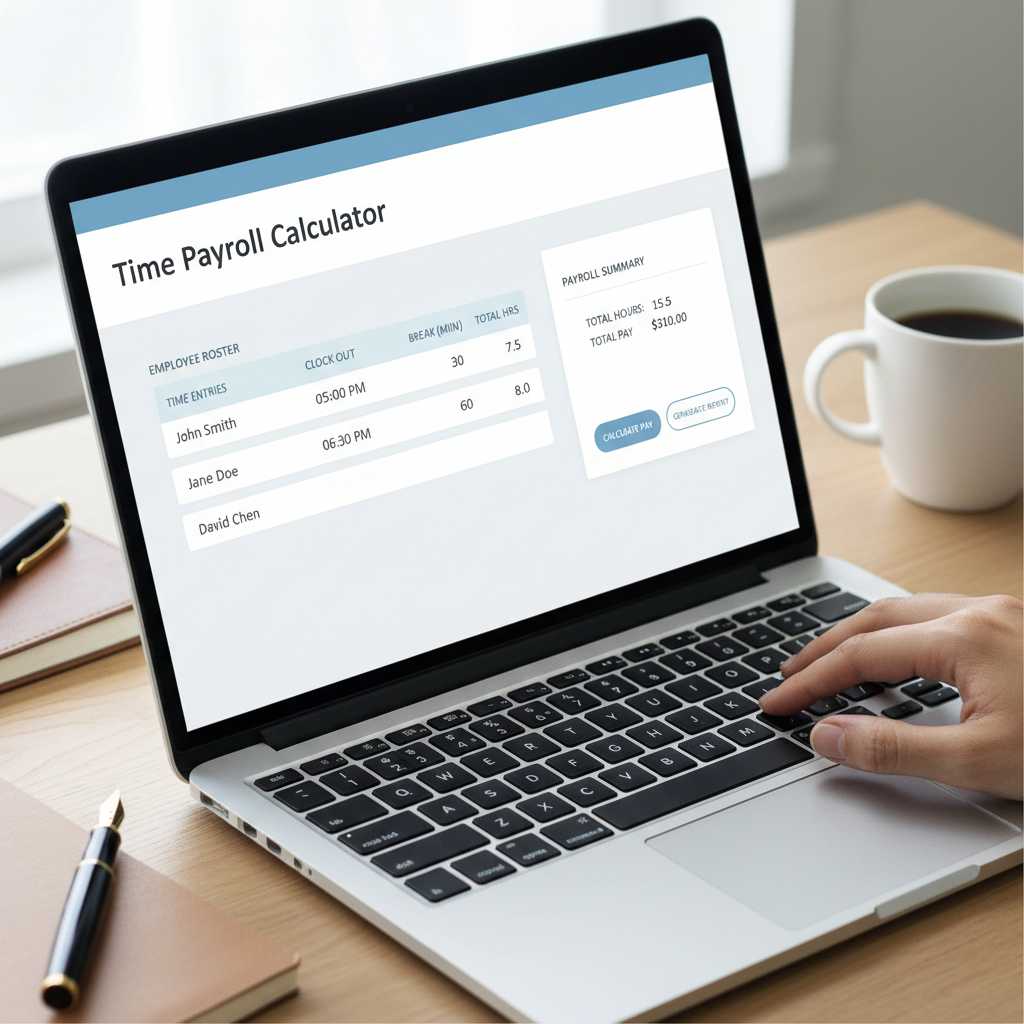
Our easy-to-use online timesheet calculator simplifies your payroll. It has powerful features for both employers and employees, ensuring accuracy and saving you time. This tool is one of over 100 free calculators we offer to help you manage work hours and pay efficiently.
Weekly and Bi-Weekly Period Support
Businesses use different pay schedules. That’s why our time payroll calculator works for both weekly and bi-weekly pay periods. This flexibility fits most company payroll schedules and provides accurate calculations every time.
- Flexible Pay Periods: Easily switch between weekly and bi-weekly options to match your company’s pay schedule.
- Simple Data Entry: Enter your hours once, and the calculator does the rest for the entire pay period.
- Fewer Errors: By handling the pay period automatically, the tool reduces manual mistakes and makes your payroll more accurate.
- Stay Compliant: Our tool helps you follow pay period regulations, which is important for running your business smoothly.
Automatic Overtime Calculation
Overtime rules can be tricky. Our online hours calculator handles it for you automatically. It applies the standard overtime rate, which is usually 1.5 times the regular pay for hours worked over 40 in a week [5]. This feature takes the guesswork out of calculating extra pay.
- Automatic Detection: The calculator automatically finds and separates regular hours from overtime hours.
- Correct Rates: It applies the right overtime rate, like 1.5x, to all overtime hours.
- Follow the Law: Helps you stay in line with federal and state labor laws for overtime pay.
- Save Time: No more tedious manual overtime math. This saves you time on administrative tasks.
Estimate Total Gross Pay
A key feature of our free online time card calculator is estimating total gross pay. Gross pay is what an employee earns before deductions like taxes or benefits are taken out. Our tool gives you a quick, clear estimate to help both employers and employees plan their finances.
- Complete Calculation: The tool adds regular and overtime pay together to calculate total gross earnings.
- Clear for Employees: Employees can see their expected earnings before deductions, which helps with personal budgeting.
- Better Budgeting for Employers: Businesses can accurately predict payroll costs, leading to better financial management.
- Instant Results: Get a quick calculation of gross pay to save time and get fast answers.
Frequently Asked Questions
How do you calculate shifts?
Calculating shifts correctly is important for payroll and managing time. Our free online timesheet calculator makes it easy. To calculate a shift, find the total time between the start and end. Then, subtract any unpaid breaks.
Here’s a simple way to calculate shifts:
- Note Start and End Times: Write down the exact time an employee starts and stops working.
- Find the Total Hours: Calculate the hours between the start and end times. For example, 9:00 AM to 5:00 PM is an 8-hour shift.
- Subtract Unpaid Breaks: Take out any time for unpaid breaks, like a 30 or 60-minute lunch.
- Add Overtime: Note any hours worked past the standard workday or week. Many laws require overtime pay for this extra time [5].
For tricky schedules, like night shifts, our online time clock calculator can help. It automatically calculates work hours for shifts that go past midnight. This makes sure your totals are correct, even for unusual schedules. eLearnSmart offers a special payroll calculator just for these cases. It’s one of more than 100 free tools on our site.
Is 9AM to 5PM 8 hours?
Yes, the time from 9 AM to 5 PM is 8 hours. However, most jobs include an unpaid lunch break during this time. If you subtract a one-hour lunch, the paid work time is 7 hours.
Here’s how it works:
- Total Duration (9 AM to 5 PM): 8 hours
- Standard Unpaid Lunch Break: 1 hour
- Net Work Hours: 8 hours – 1 hour = 7 hours
This is why an online timesheet calculator is so helpful. Our free tool automatically handles these subtractions for you. Just enter the start, end, and break times, and it gives you the correct total paid hours. This helps you get payroll right without doing the math by hand.
How to calculate a 7.6 hour day?
A 7.6-hour day is often used for a 38-hour workweek. To get 38 hours in a five-day week, each day is 7.6 hours long (38 ÷ 5 = 7.6). Figuring this out by hand can be tricky because of the decimal.
To change the decimal portion (.6) into minutes, just multiply it by 60:
- Decimal Portion: 0.6 hours
- Conversion: 0.6 * 60 minutes/hour = 36 minutes
So, a 7.6-hour day is the same as 7 hours and 36 minutes. Getting this right is important for accurate time tracking and payroll. Our online hours calculator does this math for you instantly. You just enter the decimal, and it gives you the minutes. This makes our free online time card calculator a great tool for managing different shift lengths.
Sources
- https://www.dol.gov/general/topic/wages/payperiod
- https://www.patriotsoftware.com/blog/payroll/costly-payroll-mistakes-irs-penalties/
- https://www.dol.gov/general/topic/workhours/breaks
- https://www.shrm.org/resourcesandtools/tools-and-samples/hr-qa/pages/whatisovertime.aspx
- https://www.dol.gov/agencies/whd/overtime
