
An online metal weight calculator is a free digital tool that estimates the weight of various metals like steel or aluminum. By entering the material type, shape (e.g., sheet, bar, tube), and dimensions, you can get an instant and accurate weight calculation in either imperial or metric units.
Knowing the weight of metal parts is crucial for construction, manufacturing, and even complex DIY projects. Accurate weight measurements help you estimate costs, plan shipping, and ensure a project is safe. This saves time and prevents expensive mistakes. But calculating these weights by hand, especially for different materials and shapes, is slow and can lead to errors. What if you could get these numbers instantly?
Now you can. We created a free online metal weight calculator to give you fast and accurate results. It’s one of more than 100 professional calculators on our site, all designed to make hard tasks easier for students and professionals. Our tool lets you quickly find the weight of steel, aluminum, and other common materials. Forget complex formulas and get the precise calculations you need, right when you need them.
Our material weight calculator is built for anyone who needs fast, reliable data, from professionals to students. It takes the guesswork out of estimating material needs by giving you a simple solution. Ready to see how easy it is to get the exact numbers you need? Let’s explore how our calculator can make your projects simpler.
Your Free Online Metal Weight Calculator Tool

Welcome to eLearnSmart’s free online metal weight calculator. Our tool gives you fast and accurate results, making it an essential resource for engineers, fabricators, and students. Use it to simplify your project planning and material estimates.
You can quickly find the weight of different metals and shapes. This saves you time and helps you avoid costly mistakes. Our entire suite of professional calculators is free for everyone to use.
Metals Available (Steel, Aluminum, etc.)
Our online metal weight calculator works with a wide range of common metals. Each metal has a specific density, which we use to make our calculations accurate. This ensures you get results you can trust.
The tool includes the most popular materials in construction and manufacturing. These include both ferrous (iron-based) and non-ferrous metals.
Key metals you can calculate include:
- Steel: Includes various types like mild steel, stainless steel, and tool steel. Steel is an alloy of iron and carbon.
- Aluminum: Known for being lightweight and rust-resistant. Its density is much lower than steel.
- Copper: A metal that conducts electricity well and is easy to shape. It is often used for wiring.
- Brass: An alloy of copper and zinc. It is easy to work with and has a good appearance.
- Bronze: Primarily an alloy of copper and tin. It is known for its strength and resistance to rust.
- Titanium: A strong metal that is not very dense. It performs well in high-temperature environments.
- Nickel: Valued for its strength and its resistance to rust and heat.
- Lead: A heavy, soft metal that is easy to bend. It has a very high density.
This wide selection makes our calculator useful for many different projects. Our free tools make complex calculations simple.
Shapes You Can Calculate (Sheet, Bar, Tube)
The eLearnSmart metal weight calculator can handle many different material shapes. We know that metals come in standard forms, so our tool provides options for each one. This makes it easy to get an accurate weight.
Our tool works whether you’re ordering standard stock or designing a custom part. Just enter the dimensions to get the weight instantly.
Shapes you can accurately calculate include:
- Sheets and Plates: Flat pieces of metal defined by length, width, and thickness. This includes diamond plates and expanded metal.
- Round Bar: Solid, round rods used for parts like shafts and supports.
- Square Bar: Solid, square rods used for frames and supports.
- Flat Bar: Rectangular solid bars used for bracing or strapping.
- Round Tube/Pipe: Hollow, round sections used in plumbing and structural applications.
- Square Tube: Hollow, square sections that are very resistant to twisting.
- Rectangular Tube: Hollow, rectangular sections often used in building frames.
- Angle: L-shaped pieces that add strength to edges and corners.
- Channel: C-shaped or U-shaped pieces used in frames and supports.
- Beam (I-Beam/H-Beam): I-shaped or H-shaped beams designed to support heavy loads.
With all these shapes available, you can use the eLearnSmart metal weight calculator for almost any job.
How to calculate metal weight?

The Metal Weight Calculation Formula
Calculating metal weight is essential for many industries, helping with material selection and cost estimates. The basic idea is to combine the metal’s volume with its density. Our online metal weight calculator makes this process much easier.
The basic formula for metal weight is simple:
- Weight = Volume × Density
To calculate the weight yourself, you need to understand each part of the formula. Our material weight calculator handles this for you automatically. Let’s look at each element:
Volume Calculation for Common Shapes
The volume depends on the metal’s shape. Here are the formulas for common shapes:
- Sheet/Plate: For flat pieces, find the volume by multiplying length, width, and thickness. The formula is:
Volume = Length × Width × Thickness. - Bar (Square/Rectangular): This is similar to a sheet, but for longer pieces. The formula is:
Volume = Width × Height × Length. - Bar (Round): For round bars, you will need the radius (half of the diameter) and the length. The formula is:
Volume = π × (Radius)² × Length. - Tube (Round): A tube is hollow, so it has an outer and an inner diameter. To find the volume of the material, subtract the volume of the hollow space from the total volume. The formula is:
Volume = π × ((Outer Radius)² - (Inner Radius)²) × Length.
Make sure all your measurements use the same unit (like meters, millimeters, or inches) before you calculate.
Understanding Metal Density
Density is a key property of any material. It tells you how much mass is packed into a given volume. Every metal has a different density. For example, aluminum is much lighter than steel for the same amount of space. Common units for density are kilograms per cubic meter (kg/m³) or pounds per cubic inch (lb/in³).
Here are the typical densities for some common metals:
| Metal Type | Density (kg/m³) | Density (lb/in³) | Reference |
|---|---|---|---|
| Steel (mild) | 7,850 | 0.284 | [1] |
| Aluminum (pure) | 2,700 | 0.0975 | [2] |
| Brass | 8,400 – 8,700 | 0.303 – 0.314 | [3] |
| Copper | 8,960 | 0.324 | [4] |
| Stainless Steel (304) | 7,900 | 0.286 | [5] |
Using the correct density is key to getting an accurate weight. Our eLearnSmart online metal calculator includes these values automatically to make it easy for you.
How to Use Our Material Weight Calculator
Calculating metal weight by hand takes time and can lead to mistakes. Our free online metal weight calculator makes the process simple and gives you fast, accurate results. Our site has over 100 free tools to help make complex calculations easy for anyone.
Follow these simple steps to use our easy-to-use online calculator:
- Access the Calculator: Visit the dedicated Metal Weight Calculator page on eLearnSmart.
- Select Your Metal Type: Choose a metal from the list, which includes steel, aluminum, brass, copper, and others.
- Choose the Shape: Select the shape of your metal piece. We support common shapes like sheet, bar (round, square, rectangular), and tube.
- Enter Dimensions: Enter the required measurements for the shape you chose. For example, enter the length, width, and thickness for a sheet. For a round bar, enter its diameter and length. Make sure to select the correct units (e.g., inches, mm, feet).
- Specify Weight Units: Choose the unit you want for the final weight, such as pounds (lbs) or kilograms (kg).
- Get Your Result: Click the “Calculate” button. The calculator will instantly show you the exact weight of your metal piece.
Our online metal calculator saves you from using complex formulas and looking up density values. It is a quick and reliable tool. This lets you focus on your project instead of the math. The eLearnSmart platform offers professional calculators for both academic and practical use.
How much does a 4×8 sheet of 10 gauge steel weigh?
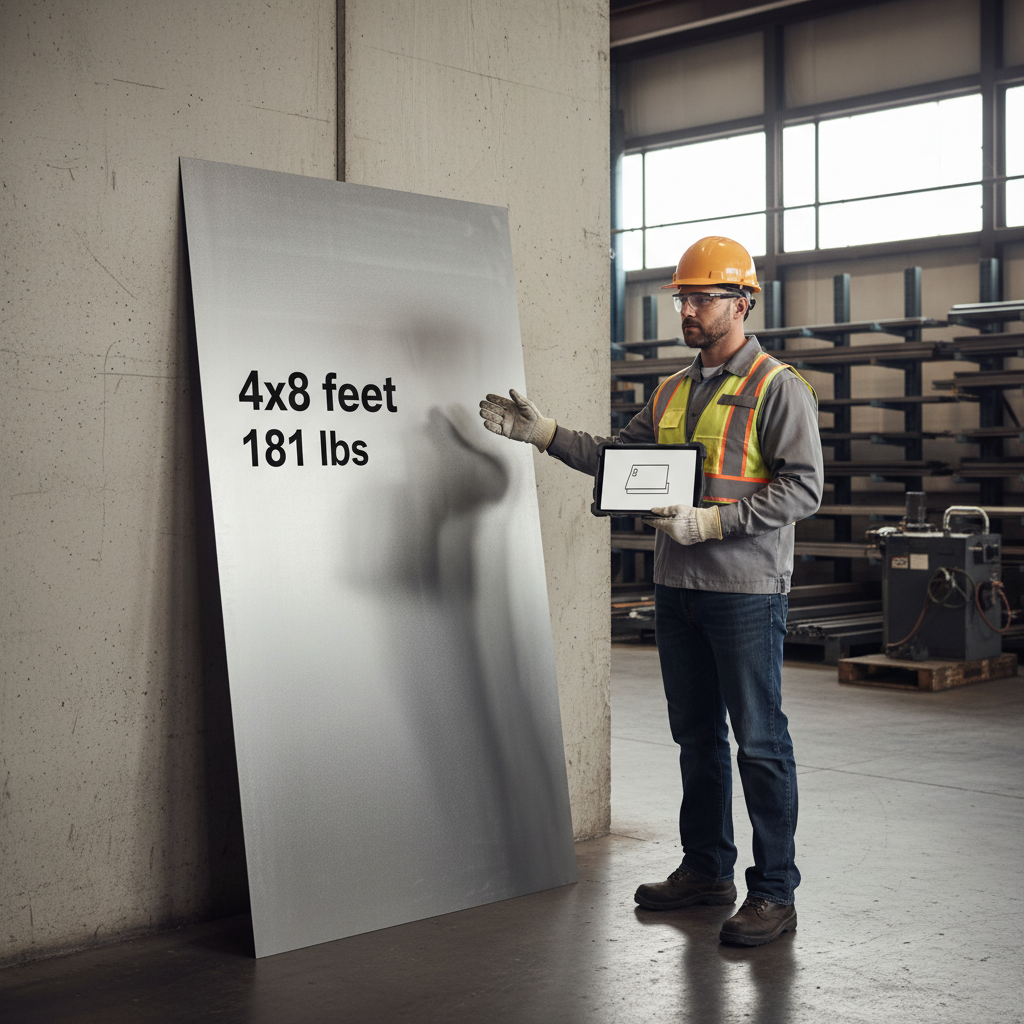
Knowing a metal sheet’s exact weight is important for many projects. A standard 4×8 sheet of 10 gauge steel, for example, weighs about 175.7 lbs (79.7 kg).
This weight is based on the steel’s density and size. Calculating this by hand for different materials takes time, but our free calculator makes it easy.
Understanding 10 Gauge Steel Thickness
The “gauge” system is used to measure a material’s thickness. The system is inverse, so a lower gauge number means the metal is thicker.
Specifically, 10 gauge steel has a standard thickness of 0.1345 inches (3.416 mm) [6]. This measurement is a key part of the total weight calculation.
How Our Online Metal Weight Calculator Simplifies This
You can skip the difficult formulas and manual math. Our online metal weight calculator is designed to be fast and accurate. It is one of more than 100 free tools available on eLearnSmart.com.
Quickly find the weight for materials like steel, aluminum, and copper. Our tool also works for different shapes, including sheets, bars, and tubes.
Steps to Calculate 4×8 10 Gauge Steel Weight Using Our Tool
Our online material weight calculator is easy to use. Follow these simple steps to find the weight of a 4×8 sheet of 10 gauge steel:
- Visit Our Calculator Page: Go to the main metal weight calculator on eLearnSmart.com.
- Select Material: Choose “Steel” from the dropdown menu.
- Select Shape: Select “Sheet” as the shape.
- Enter Dimensions:
- For Length, enter 8 feet (or 96 inches).
- For Width, enter 4 feet (or 48 inches).
- For Thickness, enter 0.1345 inches (for 10 gauge). You can also use our convenient gauge selector.
- Get Instant Results: Click “Calculate” to see the weight instantly.
Our simple design makes these calculations effortless, saving you time and helping to prevent errors.
The density of steel is about 490 lbs/cubic foot [7], and this value is already built into our tool.
Is there a steel weight chart?
Yes, steel weight charts are a traditional tool. They provide quick reference data for the weights of common steel shapes. For example, a chart might show the weight per foot for different bar sizes or per square foot for various sheet thicknesses [8].
Limitations of Traditional Charts
While useful, steel weight charts have their limits. Today’s projects often need more precise calculations. Here are some of the main drawbacks:
- Limited Scope: Charts often don’t include all steel grades. The density of steel changes with its alloy, which affects the final weight.
- Standard Dimensions Only: Charts usually list only standard sizes. You have to calculate custom sizes by hand, which can lead to errors.
- Complex Shapes are Missing: Charts rarely cover complex shapes. It’s hard to find data for items like beams, channels, or custom extrusions.
- Prone to Human Error: It’s easy to make mistakes with charts. You might misread a value, use the wrong units, or make a math error.
- Not Always Up-to-Date: Physical charts can become outdated. They might not reflect the latest material types or industry standards.
Why an Online Metal Weight Calculator is Superior
An online metal weight calculator is a better tool for accuracy and flexibility. It overcomes the problems of traditional charts. Our metal weight calculator online offers several key advantages:
- Exceptional Precision: Get the exact weight using your specific dimensions and the correct material density.
- Broad Versatility: Our material weight calculator online works for many shapes, including sheets, bars, tubes, angles, and more.
- Instant Results: Just enter the material, shape, and dimensions to get fast, accurate results. No manual lookup is needed.
- Error Reduction: Automatic calculations reduce the chance of human error. This ensures you get reliable data for your projects.
- Always Accessible: As a digital tool, our metal calculator online is available anytime, anywhere you have an internet connection.
At eLearnSmart, we create precise tools. Our metal weight calculator is one of over 100+ professional calculators we offer for free. We provide these resources to help both students and professionals. Use them for fast and accurate calculations.
How much does 1 sq ft of steel weigh?
The exact weight of one square foot (1 sq ft) of steel depends on specific details. It is not a fixed number, as it changes based on two main factors.
Key Factors for Steel Weight
To accurately calculate the weight, you need to know two important things:
- Steel Type and Density: Different kinds of steel (like carbon, stainless, or alloy steel) have slightly different densities. For example, common carbon steel has a density of about 490 pounds per cubic foot (lb/ft³) or 7850 kilograms per cubic meter (kg/m³) [9]. Stainless steel, however, often has a slightly different density.
- Thickness: This is the most important factor. A thicker piece of steel weighs more per square foot. Thickness is usually measured in gauge, inches, or millimeters.
Because of this, it’s impossible to give a single answer for the weight of 1 sq ft of steel without knowing its specific type and thickness.
How to Use the Weight Calculation Formula
You can calculate the weight of 1 sq ft of steel yourself. First, find the volume by multiplying the area by its thickness. Then, multiply the volume by the steel’s density.
- Formula: Weight = Area (sq ft) × Thickness (ft) × Density (lb/ft³)
For the formula to work, all your units must be consistent. Be sure to convert thickness from inches or millimeters into feet. For example, 1 inch is about 0.08333 feet.
Example Weights of 1 Sq Ft of Steel by Gauge
To make this clearer, here are some examples using common steel gauges. These weights are based on a standard carbon steel density of 490 lb/ft³ [9]. Always check the exact thickness for a specific gauge, as industry standards can vary [10].
| Steel Gauge | Approx. Thickness (inches) | Approx. Thickness (feet) | Approx. Weight per 1 sq ft (lbs) |
|---|---|---|---|
| 10 Gauge | 0.1345 | 0.0112 | 5.49 |
| 16 Gauge | 0.0598 | 0.0050 | 2.45 |
| 20 Gauge | 0.0359 | 0.0030 | 1.47 |
| 24 Gauge | 0.0239 | 0.0020 | 0.98 |
Simplify Calculations with Our Online Metal Weight Calculator
Calculating by hand can be slow and may lead to errors. This is where the eLearnSmart online metal weight calculator can help. It handles the complex formulas and unit conversions for you.
Our powerful tool provides fast, accurate results. Simply enter the steel type, dimensions, and thickness to find the weight instantly. This is the easiest way to answer “how much does 1 sq ft of steel weigh?” for any specification. Our platform also offers over 100 other free tools, including our versatile material weight calculator and general metal calculator, covering 13 academic categories to help with your school and work projects.
Frequently Asked Questions
How do I use a metal weight calculator in kg?
Using a metal weight calculator for kilograms is easy. Our eLearnSmart
- Select Your Metal: First, choose your metal from the list, such as steel, aluminum, or copper.
- Choose the Shape: Next, select the metal’s shape. Common options include sheet, bar, tube, or angle.
- Input Dimensions: Enter the dimensions in metric units. For example, use millimeters (mm) or centimeters (cm) for length, width, and thickness.
- Specify Quantity: If you have more than one piece, enter the total quantity.
- Calculate Weight: Click the “Calculate” button. The tool will instantly show the total weight in kilograms (kg).
Our
Is there a free metal weight calculator app?
Yes, there are many free tools to calculate metal weight. But you often don’t need to download an app. Our eLearnSmart platform has a great
- Web-Based Convenience: You don’t need to install any software. Access it from any computer, tablet, or smartphone.
- Extensive Toolset: As part of our commitment to education, eLearnSmart offers over 100 free professional calculators, including our metal weight tool.
- Instant Results: Our
gives you the weight right away. This saves you time when planning projects or buying materials.
Using our web-based tool means you always have the latest version. You never need to worry about updates.
What is the steel weight calculator formula?
The basic idea for calculating steel weight is simple. You find the volume of the steel and multiply it by its density. The general formula is:
Weight = Volume × Density
- Volume Calculation: How you calculate volume depends on the steel’s shape.
- For a rectangular sheet, Volume = Length × Width × Thickness.
- For a round bar, Volume = π × (Radius)² × Length.
- More complex shapes use their own specific geometric formulas.
- Steel Density: The density of steel can change a little depending on its type. A common density used for mild steel is about 7850 kilograms per cubic meter (kg/m³) [11].
Our
Sources
- https://www.engineeringtoolbox.com/steel-densities-d_1427.html
- https://www.engineeringtoolbox.com/aluminium-density-d_1167.html
- https://www.engineeringtoolbox.com/brass-d_1740.html
- https://www.engineeringtoolbox.com/copper-properties-d_2041.html
- https://www.azom.com/properties/t_chart.aspx?MetalID=37
- https://www.engineershandbook.com/Tables/gauge.htm
- https://www.engineeringtoolbox.com/steel-density-d_1295.html
- https://www.metalsupermarkets.com/blog/metal-weight-charts-vs-calculators/
- https://www.engineeringtoolbox.com/steel-density-d_1326.html
- https://www.engineeringtoolbox.com/sheet-metal-gage-d_1603.html
- https://www.engineeringtoolbox.com/steel-density-d_119.html
