
The Desmos 4 function calculator is a simple, free online tool designed for performing the four basic mathematical operations: addition, subtraction, multiplication, and division. It offers a clean, user-friendly interface ideal for students and anyone needing to do quick calculations without the complexity of a scientific or graphing calculator.
Do you need help with basic math or want a quick tool for everyday calculations? While complex scientific calculators are great for some tasks, you often just need something simple. Meet the Desmos Four-Function Calculator, a popular and free online tool known for being easy to use. It’s perfect for quick addition, subtraction, multiplication, and division without any confusing extra features.
This guide will show you how to use the Desmos Four-Function Calculator with simple, step-by-step instructions. It’s a great tool for a student learning basic math, a teacher looking for a classroom resource, or anyone who wants an easy way to do calculations. You’ll learn how to use its features and see why it has become so popular.
After reading this article, you will know how to use the Desmos Four-Function Calculator to solve your math problems with confidence. For times when you need to do more than the basics, remember that eLearnSmart has over 100 other calculators for any subject. First, let’s get started and see what makes this simple Desmos tool so useful.
What is the Desmos 4 Function Calculator?
Understanding Basic Arithmetic Operations
The Desmos 4 Function Calculator is a simple digital tool. It focuses on the four basic math operations. These operations are the building blocks of math.
Specifically, this calculator handles:
- Addition: Adding numbers together to find a total.
- Subtraction: Finding the difference between two numbers.
- Multiplication: A fast way to add the same number over and over.
- Division: Splitting a number into equal parts or groups.
Its design is clean and easy to use. This helps users, especially students, do math without getting distracted. It gives you instant answers, which helps make basic math ideas easier to understand. At eLearnSmart, we know having different tools is important. That’s why our platform includes over 100 free calculator tools, including those for basic math.
Why It’s a Go-To for Students and Educators
The Desmos four function calculator is a common tool in schools. It’s popular for a few key reasons:
- Accessibility: It’s a free tool you can use online. Anyone with an internet connection can use it right away, with nothing to download or install.
- Simplicity: Its simple design is less distracting. Users can focus just on the numbers and operations, which is very helpful for beginners.
- Reliability: Desmos gives correct and reliable answers. This helps users feel more confident as they learn. Desmos is a trusted name in educational technology [1].
- Educational Support: Teachers often recommend it to help students check their work. Because it’s so simple, it’s a great add-on to classroom lessons.
- Versatility: Even though it’s basic, it’s useful for many levels of math. It can be used for simple grade-school math or for quick checks in algebra.
For these reasons, the Desmos function calculator is more than just a tool. It’s a key part of learning with technology today. It shows how powerful simple tools can be. Our eLearnSmart platform also offers many other professional calculators that cover lots of school subjects to help every student learn.
How to Use the Desmos Four Function Calculator: A Walkthrough

Step 1: Accessing the Online Calculator
Getting started with the Desmos Four Function Calculator is easy. You can use this online tool on any device with a web browser.
To start, go to the official Desmos website. The Four Function Calculator is ready to use right away, with no downloads or installation needed.
Remember, while Desmos offers great tools, our eLearnSmart platform has over 100 specialized calculators across 13 subjects. We have many free tools available for you on our site.
Here’s how to access the Desmos Four Function Calculator:
- Open your web browser: Use Chrome, Firefox, Safari, or any other browser.
- Go to Desmos: Type “Desmos 4 function calculator” into your search bar, or go directly to the Desmos website [2].
- Locate the calculator: The calculator will open in your browser, ready to use.
Step 2: Performing Addition and Subtraction
Once the calculator is open, adding and subtracting is simple. The layout looks like a regular calculator, and the large, clear display makes your numbers easy to read.
Follow these steps to add or subtract:
- Input the first number: Click the number buttons to enter your first number.
- Select the operation: Click the + button to add or the – button to subtract.
- Input the second number: Enter the second number using the number buttons.
- Get the result: Click the = (equals) button to see the answer.
Example for Addition:
- Enter
15 - Click
+ - Enter
7 - Click
= - Result:
22
Example for Subtraction:
- Enter
30 - Click
- - Enter
12 - Click
= - Result:
18
Step 3: Executing Multiplication and Division
Multiplying and dividing is just as easy. The Desmos calculator uses the standard symbols (× and ÷), and its clean layout helps prevent mistakes.
Here’s how to multiply or divide:
- Enter the first number: Use the number pad to enter your first number.
- Choose the operator: Click the × button to multiply or the ÷ button to divide.
- Enter the second number: Enter the next number.
- Display the answer: Press the = (equals) button.
Example for Multiplication:
- Enter
8 - Click
× - Enter
5 - Click
= - Result:
40
Example for Division:
- Enter
100 - Click
÷ - Enter
4 - Click
= - Result:
25
If you try to divide by zero, the calculator will show an error message. This is normal for most calculators.
Step 4: Using Advanced Functions like Square Roots and Percentages
This “four function” calculator can do more than just the basics. It also has useful features like square roots and percentages.
Here’s how to use them:
Calculating Square Roots
The square root function finds a value that, when multiplied by itself, equals your original number. Desmos makes this calculation simple.
- Enter the number: Type in the number you want the square root of.
- Click the square root button: Find and click the √ symbol.
- View the result: The square root will appear on the screen.
Example for Square Root:
- Enter
81 - Click
√ - Result:
9
Calculating Percentages
Percentages are useful for real-world math, like finding a discount or a tip. The Desmos calculator handles these easily.
- Enter the number: Type in the base number.
- Click the percentage button: Find and click the % symbol.
- Understand the output: The calculator will show the number as a decimal (for example,
50then%becomes0.5). - Perform percentage calculations: To find a percentage of a number, use it with another operation. For example, to find 20% of 150:
- Enter
150 - Click
× - Enter
20 - Click
% - Click
= - Result:
30
- Enter
Using these extra functions makes the Desmos calculator a powerful yet simple tool for anyone who needs to do quick math.
Is a TI 84 a four function calculator?
Comparing Capabilities: TI-84 vs. a Basic 4-Function Tool
It’s important to know the different types of calculators. A basic four-function calculator does simple math. It can add, subtract, multiply, and divide. Many also have a memory function. The Desmos 4-function calculator is a good example of this type. It is designed for only these basic tasks.
The TI-84, however, is much more powerful. It’s an advanced graphing calculator designed for complex math [3]. Therefore, comparing a TI-84 to a basic calculator is like comparing a sports car to a bicycle.
Let’s examine their differences in detail:
| Feature | Basic 4-Function Calculator | TI-84 Graphing Calculator |
|---|---|---|
| Core Operations | Addition, Subtraction, Multiplication, Division. | All basic operations plus advanced functions. |
| Scientific Functions | Generally none. | Trigonometry, logarithms, exponents, roots, factorials. |
| Graphing Capabilities | None. | Plots equations, functions, and statistical data. |
| Programming | None. | Users can write programs and scripts. |
| Memory | Simple memory recall (M+, M-, MR, MC). | Extensive memory for variables, lists, and programs. |
| Display | Single line, numerical. | Multi-line, high-resolution color display. |
| Connectivity | None. | USB port for computer connection and data transfer. |
| Typical Use | Everyday calculations, simple arithmetic. | High school and college math, science, and engineering. |
As you can see, the TI-84 does much more than basic math. It offers a wide range of tools for students and professionals. In contrast, a simple Desmos 4-function calculator is focused on being easy to use for basic math.
When to Use Each Type of Calculator
Choosing the right calculator depends on what you need to do. Each type has its own strengths.
When to Use a Basic 4-Function Calculator (like the Desmos 4-function calculator):
- Quick Daily Calculations: For budgeting, grocery shopping, or balancing a checkbook.
- Simple Arithmetic: When only addition, subtraction, multiplication, or division is needed.
- Distraction-Free Environment: Ideal for young learners or when advanced functions might be confusing.
- Restricted Exams: Many basic math exams only allow four-function calculators.
- Portability and Cost: Often smaller, simpler, and much more affordable.
When to Choose a TI-84 or Similar Graphing Calculator:
- Advanced Mathematics: Essential for algebra, geometry, trigonometry, and calculus.
- Scientific Studies: Often used in physics, chemistry, and engineering courses.
- Statistical Analysis: Handles complex statistical calculations and regressions.
- Graphing Functions: To see visual graphs of equations and data.
- Standardized Tests: Approved for major exams like the SAT, ACT, and AP tests [4].
- Programming Needs: For solving problems with many steps or automating tasks.
In summary, a TI-84 is much more than a four-function calculator; it’s a powerful tool. Still, the simplicity of a basic calculator is very useful for many tasks. Remember, elearnsmart.com offers over 100+ free calculator tools to meet all your needs. From basic math to advanced graphing, we have a solution for every challenge.
Exploring Alternatives to the Desmos Calculator
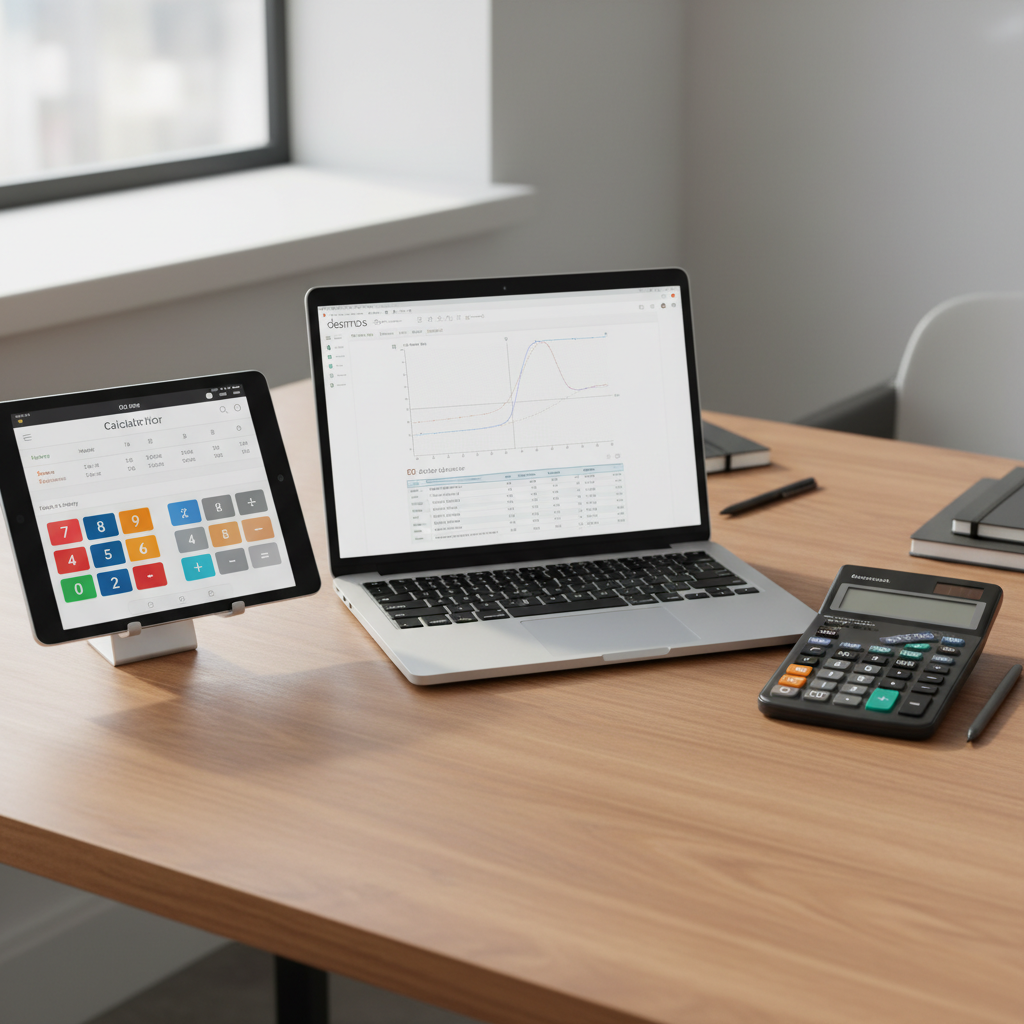
Desmos vs. Physical Calculators (Casio, Texas Instruments)
The Desmos 4-function calculator is easy to access, but it’s not your only choice. Many students and professionals still use physical calculators. These devices, from brands like Casio or Texas Instruments (TI), have their own set of pros and cons.
Physical calculators are real objects you can hold. They work without an internet connection and have dedicated buttons for specific functions. However, you have to buy them, and their batteries need replacing. In contrast, Desmos is usually free and works on any device with a web browser.
Consider the table below for a direct comparison:
| Feature | Desmos (Online) | Physical Calculator (e.g., Casio/TI) |
|---|---|---|
| Accessibility | Works in a web browser or app; usually needs internet. | Physical device; works without internet. |
| Cost | Free for basic 4-function and graphing. | Requires purchase (prices vary). |
| Portability | Use on any device (phone, tablet, computer) with a web browser. | Must carry the physical device. |
| Durability | It’s software, so it can’t be physically broken. | Can be dropped or broken; batteries run out. |
| Features | Interactive graphs, simple to use, easy to share. | Physical buttons, set layouts, often allowed in exams [5]. |
| Updates | Updates automatically. | Needs manual updates or a new model. |
The best choice depends on what you need. A physical calculator is necessary for exams that ban online tools. But for daily learning and visualizing math, Desmos is often better.
Desmos vs. Other Online Tools (GeoGebra, Symbolab)
Desmos isn’t the only online math tool available. Two other popular options are GeoGebra and Symbolab. Each works differently for solving and visualizing math problems. Knowing how they differ will help you choose the right one.
Desmos is known for its easy-to-use graphing calculator, which makes it simple to see how complex functions look. GeoGebra, however, offers more tools, including interactive geometry, algebra, and 3D graphs [6]. Symbolab’s main feature is providing step-by-step solutions. This is very helpful for understanding the steps in algebra, calculus, and other subjects.
Let’s compare these online platforms directly:
| Feature | Desmos | GeoGebra | Symbolab |
|---|---|---|---|
| Primary Focus | Graphing, basic math. | Geometry, algebra, calculus, 3D graphs. | Step-by-step answers for math problems. |
| Ease of Use | Very easy, especially for graphs. | Easy to moderate; powerful but takes time to learn. | Easy to moderate; must type problems correctly. |
| 4-Function Calc | Yes, built-in and easy to use. | Yes, included with its other tools. | Yes, does basic math while solving problems. |
| Advanced Math | Great for seeing graphs and data. | Very powerful for geometry, calculus, statistics, algebra. | Covers algebra, calculus, matrices, physics, chemistry. |
| Step-by-Step Solutions | No, it just shows the answer and graph. | Limited; focuses on building and exploring math. | Yes, this is its main feature (some steps cost money) [7]. |
For quick math and visual learning, Desmos is great. For building geometric shapes or getting detailed calculus help, GeoGebra and Symbolab are powerful choices. Each tool is useful for different learning and practical needs.
Discover 100+ Free Calculators on eLearnSmart
The Desmos 4-function calculator is great, but it’s just one of many tools out there. If you need more specialized calculators, eLearnSmart has a large collection to meet almost any academic need.
Our platform has over 100 professional calculators across more than 13 school subjects. We go far beyond basic math, with tools for finance, engineering, statistics, chemistry, and more. Every calculator on eLearnSmart is made to be accurate and easy to use.
Different subjects need different tools, so our large collection ensures you can always find the right one. Our free calculators help students and professionals simplify hard calculations and master their subjects. We are committed to providing free, high-quality learning resources. Look around our site to find the perfect calculator for your next task. You’ll find many powerful options beyond a simple Desmos 4 function calculator.
Frequently Asked Questions
Where can I find the Desmos 4 function calculator online?
Finding the Desmos 4-function calculator is easy. You can find it on the official Desmos website. It is designed for simple, quick calculations.
- Visit the Desmos Four Function Calculator page directly [2].
- This online tool is completely free to use.
- It has a clean, easy-to-use interface.
eLearnSmart also offers a large collection of digital calculators. Our platform has over 100+ free calculator tools that cover a wide range of academic subjects to support your math needs.
What is the difference between a 4 function and a 5 function calculator?
The main difference between a 4-function and a 5-function calculator is what they can do. A 4-function calculator handles the four basic math operations used for everyday calculations.
A 4-function calculator can handle:
- Addition (+)
- Subtraction (-)
- Multiplication (*)
- Division (/)
A 5-function calculator does everything a 4-function one does, plus one extra function. This “fifth” function is usually the percentage (%) key. Sometimes, it could be a square root (√) or memory function. Since the percentage key is the most common addition, it’s more useful for business or quick financial math.
Here’s a quick comparison:
| Feature | 4-Function Calculator | 5-Function Calculator |
|---|---|---|
| Addition (+) | Yes | Yes |
| Subtraction (-) | Yes | Yes |
| Multiplication (*) | Yes | Yes |
| Division (/) | Yes | Yes |
| Percentage (%) | No | Yes (typically) |
| Square Root (√) | Rarely | Sometimes |
| Memory Functions (M+, M-, MR) | Sometimes | Often |
| Primary Use | Basic arithmetic | Basic arithmetic, quick percentages |
Both types are great basic tools for students learning math. Our eLearnSmart platform offers many calculators for every level, from basic to advanced.
Is a TI-30Xa a 4 function Calculator?
No, the Texas Instruments TI-30Xa is not just a 4-function calculator. It is a scientific calculator, which means it offers many more functions than a basic model.
The TI-30Xa does much more than add, subtract, multiply, and divide. Its features include:
- Exponents and Roots: Such as x², √, and yˣ functions.
- Logarithms: Both common (log) and natural (ln) logarithms.
- Trigonometric Functions: Sine (sin), cosine (cos), and tangent (tan), along with their inverses.
- Fractions: Keys for entering and calculating with fractions.
- Memory Storage: Multiple memory spots to store values.
- Statistical Functions: Basic one-variable statistics.
These advanced features are needed for higher-level math classes like algebra, geometry, trigonometry, and calculus. The TI-30Xa is a popular choice for high school and college students because it can do so much [8]. In contrast, a 4-function calculator only handles basic math. eLearnSmart has a wide variety of calculators, including scientific and other specialized tools.
Sources
- https://www.desmos.com/about
- https://www.desmos.com/fourfunction
- https://education.ti.com/en/products/calculators/graphing-calculators/ti-84-plus-ce
- https://satsuite.collegeboard.org/sat/what-to-bring-expect/calculator-policy
- https://www.collegeboard.org/pdf/ap-exam-calculators.pdf
- https://www.geogebra.org/about
- https://www.symbolab.com/premium
- https://education.ti.com/en/products/calculators/scientific-calculators/ti-30xa
