
An online square feet calculator is a digital tool designed to compute the area of a space in square feet. By inputting the length and width of the area, the calculator multiplies these two measurements to provide the total square footage, which is crucial for planning home improvement projects like flooring, painting, or landscaping.
Whether you’re tackling a home improvement project, planning a garden, or just buying new flooring, it often begins with a complex math problem. Calculating the precise square footage of a room, wall, or an irregular plot of land is essential. An accurate measurement prevents costly errors, material waste, and frustrating shortages. For any DIY enthusiast, professional, or student, getting it right from the start saves time, money, and headaches.
That’s where a reliable digital solution makes a difference. Say goodbye to manual calculations and potential mistakes with our free online square feet calculator. At eLearnSmart, we offer more than 100 professional calculators as free tools, and our area calculator is a prime example. Designed for simplicity and precision, it instantly determines the area of any space, taking the guesswork out of your planning. It’s the ideal resource for projects ranging from painting and carpeting to construction and landscaping.
This article will guide you through everything you need to know about measuring areas with ease. We’ll show you how to use our online square feet calculator for various shapes, explain how to calculate running feet, and demonstrate the conversion from running feet to square feet. Get ready to streamline your projects and achieve accurate results every time with the best running feet and area calculation tool at your fingertips.
How to Use the Online Square Feet Calculator?

Step 1: Select the Shape of Your Area
To get an accurate square footage calculation, you must first identify the shape of the space. Our versatile online square feet calculator supports many common shapes. This initial step is crucial because it ensures the correct formula is used for your measurements.
Choose from common options such as:
- Rectangle/Square: Ideal for most rooms and plots of land.
- Circle: Perfect for circular pools, patios, or garden beds.
- Triangle: Use this for gables, specific roof sections, or other triangular areas.
- Irregular Shapes: If your space is complex, break it down into a combination of simpler shapes. Our calculator can then measure each section individually.
Selecting the correct shape is the foundation for an accurate result. Once you choose a shape, the calculator will prompt you for the specific measurements it needs.
Step 2: Enter the Dimensions (Length and Width)
After selecting the shape, you need to enter its precise dimensions. For standard shapes like a rectangle, this means providing the length and width. Accurate measurements are essential for a correct result.
Follow these simple guidelines:
- Measure Carefully: Use a tape measure to find the exact dimensions. For a room, for example, measure from wall to wall.
- Select Units: Our area calculator online lets you work in your preferred unit, such as feet, inches, meters, or yards.
- Input Values: Type your measurements into the corresponding fields. A rectangle will require a “Length” and “Width,” while a circle will ask for the “Radius” or “Diameter.”
The calculator is designed to be user-friendly, helping you avoid the common errors that occur with manual calculations [1]. For measurements based on running feet, simply enter the total linear distance.
Step 3: Get Your Instant Calculation
With the shape selected and dimensions entered, the final step is effortless. Our advanced online square feet calculator processes your information instantly, displaying the calculated square footage on your screen.
This rapid result offers several key benefits:
- Immediate Accuracy: Avoids human error from complex math.
- Time-Saving: Frees you from manual calculations and re-checking figures.
- Project Efficiency: Helps you quickly determine material needs for flooring, paint, or landscaping.
The calculator’s instant feedback allows you to adjust measurements and re-calculate with ease. As one of over 100+ professional calculators from eLearnSmart, this free tool is designed to empower both students and professionals. We aim to provide reliable, instant solutions for all your calculation needs.
How to calculate square feet of a room?
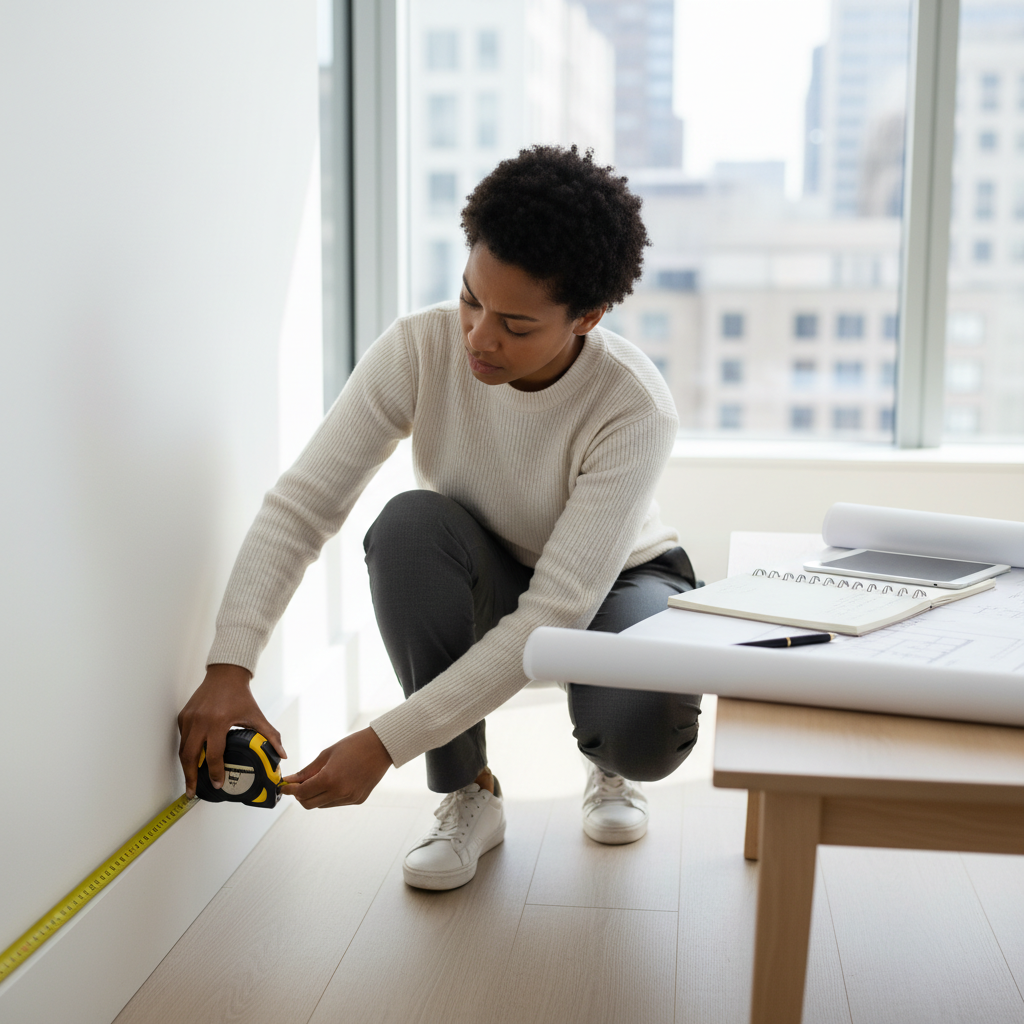
Knowing a room’s square footage is essential for projects like flooring, painting, and furniture placement. An accurate measurement helps you budget correctly and buy the right amount of materials. Calculating the area precisely is crucial, and our online square feet calculator makes the process simple and fast.
Calculating Square Feet for Rectangular or Square Rooms
Most rooms are simple rectangles or squares, making their square footage straightforward to calculate. You only need two measurements: length and width. Our online area calculator handles these basic shapes with ease.
Follow these steps for a simple room:
- Measure the Length: Use a tape measure to get the distance from one wall to the opposite wall. Note this measurement in feet.
- Measure the Width: Measure from one side wall to the other, perpendicular to the length. Note this measurement in feet.
- Multiply: Multiply the length by the width to find the room’s total square footage. For example, a room 10 feet long and 12 feet wide is 120 square feet (10 ft x 12 ft = 120 sq ft).
This method is both quick and accurate. Taking careful measurements can save you significant money on materials for any home project [2].
Calculating Square Feet for Irregularly Shaped Rooms
Not all rooms are perfect rectangles; some may have L-shapes, alcoves, or other irregular features. While calculating the area of these spaces might seem complex, the strategy is to divide the room into smaller, regular shapes. Our online square feet calculator is designed to make this task easy.
Here’s how to approach irregular rooms:
- Divide into Basic Shapes: First, mentally or on a sketch, divide the room into smaller, regular shapes like rectangles, squares, or triangles.
- Measure Each Section: Next, carefully measure the dimensions (e.g., length and width) of each individual section.
- Calculate Each Section’s Area: Then, calculate the area of each section. For rectangles and squares, use length x width. For triangles, use the formula (0.5 x base x height).
- Sum the Areas: Finally, add the areas of all sections together to find the room’s total square footage.
Using an online calculator for these scenarios is highly efficient, as it removes the need for manual, error-prone calculations. Our suite of over 100+ free tools, including this square feet calculator, ensures you get precise results. This approach saves time and reduces the risk of errors on your projects.
How to calculate running feet?
For many projects, understanding linear measurements is essential. One of the most common is running feet (also called linear feet), a straightforward measurement of length in a single dimension.
What Exactly Are Running Feet?
Running feet refers to the total length of a material or distance. Because this measurement only accounts for one dimension—length—it ignores width and height. This makes it crucial for items sold or installed by length, as it simply answers the question, “How long is it?”
Common uses for running feet include:
- Fencing: Estimating the perimeter for fence materials.
- Trim and Molding: Calculating the length of decorative strips for walls or ceilings.
- Piping and Tubing: Determining the required length for plumbing or electrical conduits.
- Fabric and Textiles: Many materials are sold by the linear yard or foot.
- Cabinetry and Countertops: Often measured in linear feet for cost estimation.
How to Calculate Running Feet
Calculating running feet is simple because it involves no complex formulas—you only need to measure length. To find the total, just measure the material you need. For example, 50 feet of baseboard equals 50 running feet. For a space like a room, measure the length of each wall and add them together to get the total perimeter in running feet. Accurate measurements are vital for budgeting and ordering materials correctly [3].
Here are the basic steps:
- Identify Your Project: Determine what you need to measure linearly.
- Measure Each Segment: Use a tape measure to find the length of each straight section.
- Add All Lengths: Sum all individual segment measurements. This total is your running feet.
Understanding Running Feet vs. Square Feet
It is important to distinguish between running feet and square feet. Running feet is a one-dimensional measurement of length, whereas square feet is a two-dimensional measurement of area (length multiplied by width). For example, 10 running feet of fence is simply a 10-foot-long piece. In contrast, 10 square feet of material could be a 2×5 foot area or a 1×10 foot area. The measurement you need depends entirely on your project’s goal.
Leveraging Our Calculators for Linear Measurement
Although calculating running feet is simple, our comprehensive suite of tools can help ensure accuracy and streamline your project planning. Our platform offers over 100+ free professional calculators designed for various academic and practical needs, allowing you to easily move from basic length measurements to more complex project calculations.
Here’s how our calculators can assist:
- Integrated Project Planning: Input your length measurements into our cost calculators to quickly estimate material expenses per running foot.
- Conversion Tools: If your measurements are in different units (like inches or meters), our tools can instantly convert them to ensure consistent calculations.
- Area Calculations: Once you have your linear dimensions, our online square feet calculator or an area calculator online can help you determine the total area for projects like flooring or painting.
- Error Reduction: Avoid manual math errors by using our digital tools for accurate results, especially when adding multiple segments. While a dedicated running feet calculator online is simple, our platform integrates this function with other tools to support your entire project.
How to convert running ft to sq ft?
The conversion from running feet to square feet is a common point of confusion because they measure two different things. Running feet is a linear measurement, representing only length—like a roll of carpet. In contrast, square feet is a measure of area, which requires both length and width. Because of this, you cannot directly convert running feet to square feet without one key piece of information: the width.
Understanding the Key Difference
To clarify, let’s break down the distinction between these two measurements:
- Running Feet: This measures length only. It indicates how many linear feet of material you have, such as a 100-foot roll of fabric or 50 feet of baseboard.
- Square Feet: This measures area. It tells you how much surface an object or space covers and is calculated by multiplying length by width.
For quick calculations, our comprehensive Online Square Feet Calculator on eLearnSmart can simplify the process.
Converting with a Known Width
When your material has a constant width, converting running feet to square feet is simple. This method works well for items sold in rolls or uniform strips, such as flooring or fabric.
Formula for Conversion
Use this basic formula:
Square Feet = Running Feet × WidthFor the formula to work correctly, both measurements must be in the same unit. If the running feet are in feet, the width must also be in feet. If your width is given in inches, first convert it to feet by dividing by 12.
Practical Examples
Let’s look at some common scenarios:
- Flooring Underlayment: You have 100 running feet of underlayment that has a constant width of 4 feet.
100 running ft × 4 ft = 400 sq ft - Fabric Roll: A fabric roll measures 20 running feet, and its width is 60 inches.
60 inches / 12 inches/foot = 5 feet
20 running ft × 5 ft = 100 sq ft - Fencing Material: You have 50 running feet of fencing, and each panel is 6 feet high.
50 running ft × 6 ft = 300 sq ft
For more complex shapes and intricate calculations, our website offers over 100+ professional calculators, including a specialized online area calculator designed for various shapes.
When Direct Conversion Isn’t Possible
Sometimes, “running feet” may refer to the perimeter of a space, like a room. If the area doesn’t have a uniform width, you cannot use the simple multiplication formula. For example, to find the square footage of an L-shaped room from its perimeter (running feet), you must first divide the space into smaller, regular rectangles and calculate the area of each.
Our versatile Online Square Feet Calculator is ideal for these complex situations. It eliminates guesswork by allowing you to input the specific dimensions for various shapes, ensuring you get an accurate square footage for any project.
Can Google Maps calculate square footage?
Google Maps can assist in calculating the approximate square footage of outdoor areas using its built-in measurement tool. This feature allows you to define a specific area on the map, but it is not designed for the precise calculations required for construction or indoor spaces and often requires manual unit conversions.
How to Measure Area Using Google Maps
The “Measure distance” feature in Google Maps enables you to outline any visible area on the map to get an estimate of its perimeter and total area. This tool is useful for quickly gauging the size of a plot of land or a property boundary.
Here are the steps to use this functionality:
- Open Google Maps: Navigate to the area you wish to measure.
- Right-Click to Start: Right-click on your desired starting point on the map.
- Select “Measure distance”: A menu will appear. Choose “Measure distance” from the options.
- Define Your Area: Click additional points on the map to create a polygon outlining the boundaries of the shape you want to measure.
- View Measurements: As you add points, Google Maps will display the total distance (perimeter) and the enclosed area at the bottom of the screen.
- Close Measurement: To clear the measurement, right-click on the map or click the “X” on the measurement box.
Limitations for Accurate Square Footage
While the Google Maps measurement tool is convenient, its limitations make it unsuitable for professional or highly accurate square footage calculations:
- Accuracy Challenges: Satellite imagery can have distortions, and minor shifts in perspective or resolution can affect precision. [4]
- Elevation and Terrain: The tool measures a flat, 2D projection and does not account for changes in elevation, which leads to inaccuracies on sloped properties.
- Indoor Spaces: This feature cannot be used to measure interior room dimensions, as it only works for visible outdoor areas.
- Unit Conversion: Results are often displayed in metric units (square meters), requiring manual conversion to square feet.
- Irregular Shapes: Precisely outlining complex or irregular shapes can be cumbersome and relies heavily on careful mouse clicks.
- Lack of Detail: It cannot distinguish between different sections within a property, such as a house footprint versus a driveway.
Why a Dedicated Online Square Feet Calculator is Better
For more accurate and hassle-free results, a specialized online square footage calculator is a better choice. Unlike the tool in Google Maps, these calculators are built specifically for precision and ease of use.
The benefits of using a dedicated calculator, like the one offered by eLearnSmart, include:
- Superior Accuracy: They are designed for precise area measurements, allowing you to input exact dimensions for a reliable result.
- Direct Square Feet Output: Get instant results in square feet without needing to perform manual conversions.
- Versatility for Shapes: Most calculators can easily handle various shapes, including rectangles, triangles, and circles.
- Ease of Use: Simple input fields make calculations quick and straightforward, saving you valuable time.
- Indoor Application: These tools are ideal for calculating interior room sizes for projects like flooring or painting.
- eLearnSmart Advantage: Our platform offers an advanced online square feet calculator as part of an extensive suite of over 100 professional and free tools, each designed for optimal precision and efficiency.
Why Use an Area Calculator Online?

Accuracy for Projects
Precision is paramount, but manual calculations are prone to human error. Even slight mistakes can lead to significant problems like material waste and budget overruns.
Our online square feet calculator eliminates this guesswork by ensuring exact measurements. It provides highly reliable results you can trust for critical planning.
Utilizing a digital tool like ours drastically reduces calculation errors. In construction, for instance, precise measurements can prevent costly rework and material wastage, improving project efficiency by up to 15% on average [5]. This accuracy supports better financial management and helps ensure the successful completion of your endeavors. ElearnSmart offers this same level of precision across its 100+ professional calculators.
Time-Saving Convenience
Time is a valuable resource, and calculating areas manually is often slow and tedious. It requires recalling complex formulas, which can slow down your workflow. Our online area calculator changes that.
Simply input your dimensions to get instant results. This saves you valuable time that you can dedicate to other aspects of project execution. Plus, our tools are accessible anywhere, whether you’re on a computer or mobile device.
This convenience speeds up planning stages and allows for quick on-site estimates, so you no longer need to carry bulky reference books. ElearnSmart provides a seamless, efficient experience for all your calculation needs, offering over 100 free tools.
Versatility for Different Shapes
Projects often involve complex geometries like triangles, circles, or irregular polygons. Calculating these shapes manually can be challenging and time-consuming.
Our versatile area calculator is designed to handle various shapes, simplifying the measurement of complex spaces. Just select the shape, enter the details, and get the area instantly—no need to remember multiple formulas.
Our calculator supports a wide range of common shapes, including:
- Rectangles and squares
- Circles and semicircles
- Triangles (various types)
- Trapezoids
- L-shaped rooms
This versatility makes project planning easier for any task, from landscaping to flooring. Our online square feet calculator adapts to your specific needs and is just one example of the diverse capabilities found within ElearnSmart’s collection of over 100 specialized calculators.
Frequently Asked Questions
How accurate are online sq ft calculators?
Our online square feet calculator tools are designed for exceptional precision. However, their accuracy depends entirely on the measurements you provide. If you input correct data, you will get an exact result.
The eLearnSmart platform features more than 100 professional calculators, each built on robust mathematical algorithms to ensure reliable results. You can trust our tools for all your project’s area calculations.
How many sq ft is 40×40?
To find the square footage of an area, simply multiply its length by its width. For a 40×40 space, the calculation is 40 feet multiplied by 40 feet, which equals 1600 sq ft.
The formula is:
- Length: 40 feet
- Width: 40 feet
- Area: 40 feet × 40 feet = 1600 square feet
Our area calculator online makes this even easier. Instead of calculating manually, just enter the dimensions to get an instant, error-free result.
Can I calculate square footage on my phone?
Yes, absolutely. Our online square feet calculator is fully optimized for mobile use, so you can easily access it on any smartphone or tablet. This allows you to calculate square footage anytime, anywhere.
The eLearnSmart website offers more than 100 free, user-friendly calculator tools. Because they work on all devices, you can conveniently measure areas for your projects on the go—just open your browser and start calculating.
What is 800 sq ft in feet?
This question can be confusing because square feet and feet measure two different things. Square feet is a measure of area (length × width), while feet is a measure of linear distance (length). For this reason, you cannot directly convert an area into a linear measurement.
However, you can visualize 800 sq ft by considering the different dimensions that would create an area of that size. For example, 800 sq ft could be a rectangular room, a garden plot, or any other two-dimensional space.
Here are a few examples of dimensions that equal 800 sq ft:
| Length (ft) | Width (ft) | Area (sq ft) |
|---|---|---|
| 40 | 20 | 800 |
| 80 | 10 | 800 |
| 32 | 25 | 800 |
| 100 | 8 | 800 |
Our online square feet calculator is a great tool for exploring these combinations. It can help you better understand the relationship between linear dimensions and total area for any project.
Sources
- https://www.nachi.org/calculating-square-footage.htm
- https://www.thespruce.com/how-to-calculate-square-footage-of-a-room-1822452
- https://www.finehomebuilding.com/project-guides/framing/a-linear-foot-is-not-the-same-as-a-square-foot
- https://support.google.com/maps/answer/1628031?hl=en
- https://www.mckinsey.com/industries/capital-projects-and-infrastructure/our-insights/the-future-of-construction-a-multibillion-dollar-opportunity
